
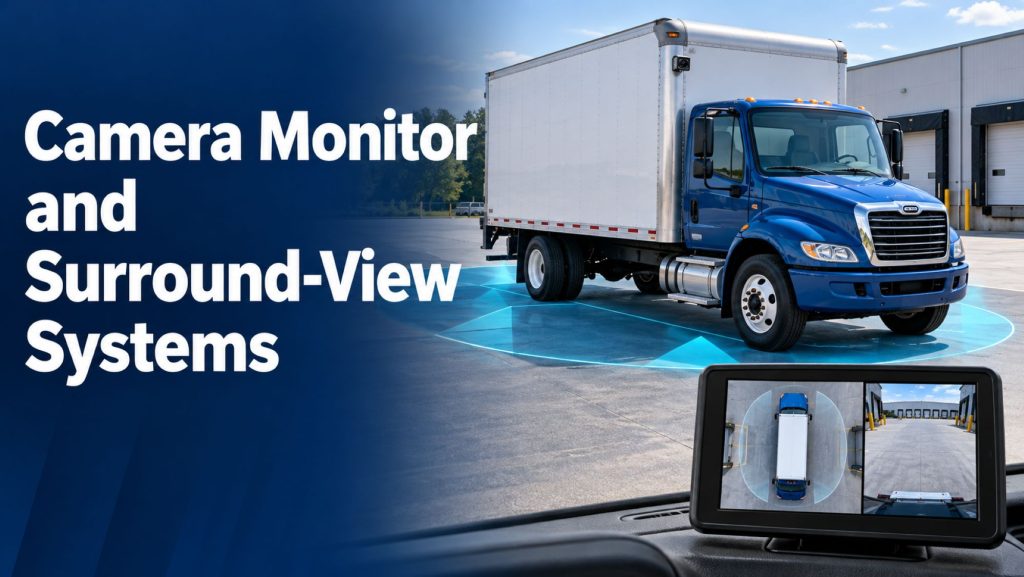
Camera monitor and surround-view systems help commercial truck drivers see areas around the vehicle that may be difficult to observe directly. Depending on the installation, cameras can provide rear views, side views, digital mirror views, or a combined image of the area immediately surrounding the vehicle.
This category includes camera monitor systems, multi-camera visibility equipment, stitched surround-view systems, and camera systems with supported detection alerts. These products serve different purposes, and a live camera image does not automatically include recording, pedestrian recognition, or braking assistance.
Use this page to explore related products and compare equipment for highway tractors, delivery trucks, and vocational fleets. Evaluate camera coverage, display placement, vehicle configuration, and operating conditions before selecting an installation.
Camera Monitor and Surround-View Products on Truck Equipment Atlas
The products below represent different approaches to driver visibility. Review each product page for the equipment’s intended application and supported functions.
Stoneridge
- Stoneridge MirrorEye Camera Monitor System — exterior cameras and in-cab monitors that provide digital rearward and side views in supported installations.
Brigade Electronics
- Brigade Backeye 360 Camera System — multiple camera images processed into a combined bird’s-eye view around the vehicle.
- Brigade Backeye 360 AI Camera System — surround-view imaging with human form recognition and driver alerts in configured detection zones.
How Camera Monitor Systems Work
External cameras capture images and send them to a monitor or processing controller. The driver sees the selected views on displays inside the cab. The installation determines which areas are visible and how the views are presented.
Some systems continuously display particular views. Others switch between cameras using approved inputs, such as reverse selection or turn-signal activation. Automatic switching and image-processing functions depend on the specific equipment.
- Cameras capture images from their installed positions.
- Video connections carry the images to a monitor or controller.
- Processing equipment manages supported image functions and layouts.
- In-cab displays present the views to the driver.
- The driver interprets the image alongside direct observation and other available visibility aids.
Digital Mirror, Rear-View, and Surround-View Systems
Digital Mirror Systems
Digital mirror systems use cameras and displays to provide views associated with conventional mirrors. The camera locations, display arrangement, and vehicle integration are designed around the driver’s rearward and side visibility needs.
Rear and Side Camera Systems
Individual cameras can provide views behind a truck, along a vehicle side, or near a selected area. A multi-camera monitor may show one view at a time or several views together without creating a stitched surround image.
Stitched Surround-View Systems
Surround-view equipment processes overlapping camera images into a combined view around the vehicle. This can help the driver understand nearby clearance during low-speed maneuvering.
How a Bird’s-Eye View Is Created
A bird’s-eye display is a processed image rather than a view from a camera physically located above the truck. The controller corrects and combines images from cameras mounted around the vehicle.
The combined image depends on camera placement and calibration. Objects above the ground can appear distorted or displaced near image joins, so drivers need to understand how the display represents their surroundings.
- Multiple cameras provide overlapping views.
- Calibration establishes the relationship between the cameras and vehicle.
- The controller processes and combines the images.
- The monitor presents the resulting view and any supported additional camera images.
Major System Components
- External cameras: Imaging equipment selected for the required viewing areas.
- In-cab monitors: Displays positioned for driver visibility and access.
- Processing controller: Electronics that manage image stitching, layouts, or other supported functions.
- Video connections: Compatible cables and connectors between cameras, controllers, and displays.
- Power and vehicle inputs: Approved electrical connections and signals used by the installation.
- Mounting hardware: Brackets and protective components that maintain camera and monitor positions.
- Optional equipment: Recording hardware, detection functions, or other accessories supported by the product.
Camera Coverage and Field of View
Camera coverage depends on mounting height, viewing angle, orientation, and the vehicle’s shape. A wide-angle camera can show a broad area, but it also changes how distance and object size appear on the monitor.
Evaluate the complete installation rather than relying only on the number of cameras or an advertised viewing angle. Bodywork, cargo, accessories, and other vehicles can obstruct a view.
- Identify the areas the driver needs to observe.
- Check camera coverage near the cab, wheels, body corners, and rear equipment.
- Review overlap and image joins on surround-view displays.
- Assess coverage with doors, liftgates, and movable equipment in relevant positions.
- Confirm which areas remain outside the available views.
Tractor-Trailer Visibility
A tractor-trailer combination presents different viewing challenges from a rigid truck. Trailer length, articulation, and interchangeable equipment affect what cameras can show.
A tractor-mounted camera does not automatically provide a view directly behind the trailer. Rear trailer visibility may require separate equipment and suitable connections. A surround-view system calibrated for a rigid vehicle should not be assumed to produce a complete stitched view of an articulated combination.
Confirm the manufacturer’s supported approach for trailer changes, articulation, video connections, and any configuration-specific viewing functions.
Highway and Regional Applications
Highway and regional fleets may use camera monitor equipment to support rearward and side visibility. Drivers need to understand the relationship between the displayed image and the actual position of surrounding traffic.
Compare display placement, image scale, day and night performance, and the supported vehicle configuration. Digital mirror equipment and low-speed surround-view systems should be evaluated according to their respective operating purposes.
Delivery and Vocational Applications
Delivery trucks and vocational vehicles may benefit from views near loading areas, narrow access routes, workers, and parked equipment. Surround-view displays can help the driver assess nearby clearance while maneuvering.
Review the actual body layout before selecting camera positions. Toolboxes, tanks, liftgates, outriggers, and other accessories can obstruct images or change the areas that require monitoring.
Camera Visibility and Automatic Detection
A camera visibility system presents images for the driver to interpret. Automatic detection adds processing that identifies supported targets and issues alerts.
Brigade Backeye 360 AI combines surround-view imaging with human form recognition in configured detection zones. The standard Backeye 360 product should not be assumed to include those AI warning functions.
Confirm target recognition, alert behavior, and operating limits for any detection-equipped installation. A clear image does not guarantee that a target will be recognized, and the absence of an alert does not establish that a maneuver is safe.
Monitor Placement and Driver Use
Monitor position influences how easily the driver can use a view. Displays should be installed according to the approved arrangement without obstructing required visibility or interfering with vehicle controls.
- Evaluate screen readability from the normal driving position.
- Check brightness and reflections under representative lighting conditions.
- Confirm that displayed views are clearly identifiable.
- Review image orientation and any automatic switching behavior.
- Provide driver familiarization with image scale and distance perception.
Common Specifications to Compare
- Intended viewing function and supported vehicle configurations.
- Camera resolution, field of view, and image orientation.
- Monitor size, brightness controls, and display layouts.
- Video delay and image performance under expected operating conditions.
- Electrical supply, video interfaces, and cable requirements.
- Environmental protection and available lens-management features.
- Calibration requirements and supported vehicle inputs.
- Recording and detection capabilities, where included.
- Diagnostic support, replacement components, and service access.
Installation and Calibration
Camera positions must match the manufacturer’s installation requirements. Secure mounting and protected wiring help maintain a stable image and reliable connection.
Stitched surround-view systems require calibration to relate the camera images to the vehicle. Changes to camera position, brackets, or bodywork may require renewed setup. Replacement components must be compatible with the installed controller and video format.
For equipment intended to replace required mirrors, confirm the approved installation and applicable requirements for the vehicle and operating location before changing its mirror arrangement.
Day, Night, and Adverse-Weather Performance
Image quality can change with available light, glare, precipitation, and contamination. Evaluate performance in the conditions the fleet actually encounters rather than relying only on a camera’s advertised resolution.
Heating, low-light processing, and other image-management features are product-specific. Confirm what is included and how the driver identifies a blocked, degraded, or unavailable view.
Live Viewing and Video Recording
Displaying a live image and retaining video are separate functions. A camera monitor installation may need additional recording hardware, storage, or compatible interfaces to save footage.
If recording is required, confirm which camera feeds are stored, how footage is retrieved, and whether the selected configuration supports the fleet’s intended use. Do not assume that every displayed view is automatically recorded.
Operating Limits and Driver Responsibilities
Camera images can contain blind areas, distortion, and obstructions. Drivers must understand the views available on their vehicle and continue using appropriate observation and maneuvering procedures.
- Check the relevant views before and during a maneuver.
- Recognize that image scale can change apparent distance.
- Keep camera lenses clear and report damaged equipment.
- Follow the vehicle’s approved procedures when a required view is unavailable.
- Use established spotter procedures when necessary.
Common Problems and Inspection Points
- Dirty, obstructed, or damaged camera lenses.
- Loose brackets or changed camera orientation.
- Missing images, intermittent connections, or display faults.
- Damaged cables or water intrusion at connectors.
- Incorrect image orientation or camera assignment.
- Misaligned image joins following camera or body repairs.
- Incorrect switching inputs or configuration settings.
Maintenance and Driver Familiarization
Include camera condition, mounting security, and display operation in the fleet’s inspection process. Clean lenses using approved methods and arrange service when images become unreliable or components are damaged.
Drivers should practice interpreting the installed views in a controlled setting. Familiarization should cover view selection, distance perception, image joins, fault indications, and any supported detection warnings.
Related Vehicle and Trailer Types
- Day Cab Trucks
- Sleeper Trucks
- Vocational Trucks
- Dry Van Trailers
- Refrigerated and Reefer Trailers
- Flatbed Trailers
- Tanker Trailers
Selecting a Camera Monitor or Surround-View System
Begin with the views the driver needs and the vehicle’s operating environment. Digital mirror views, rear camera visibility, and a stitched surround image address different tasks.
- Identify the vehicle areas and maneuvers that need additional visibility.
- Confirm suitability for the truck, body, and trailer configuration.
- Evaluate coverage and display readability on a representative vehicle.
- Review performance under expected lighting and weather conditions.
- Specify recording or automatic detection separately when required.
- Plan installation, calibration, training, and ongoing maintenance.
- Confirm replacement-part availability and service support.
Related Detection and Warning Products
- Mobileye Shield+ Blind-Spot Detection System
- Bendix BlindSpotter Radar System
- ZF WABCO OnSideALERT Blind-Spot Detection System
- ZF WABCO TailGUARD Reversing Safety System
- Brigade SA-BBS-107 White Sound Reversing Alarm
Related Safety System Categories
- Safety Systems
- Collision Warning and Automatic Emergency Braking Systems
- Adaptive Cruise Control Systems
- Lane Departure Warning and Lane Keeping Systems
- Blind-Spot and Vulnerable Road User Detection Systems
- Reversing Safety and Audible Warning Systems
Related Safety System Guides
- Safety System Guides
- How Commercial Truck Safety Systems Work
- Blind-Spot Detection and Camera Monitor Systems Explained
- How to Choose a Commercial Truck Safety System
- Collision Warning and Automatic Emergency Braking Explained
- Lane Departure Warning and Lane Keeping Assistance Explained
- Adaptive Cruise Control for Commercial Trucks Explained
Related Truck Equipment Resources
- Equipment Systems
- Electrical Systems
- Telematics and ELD Systems
- AI Dash Cameras and Video Telematics
- Brake Systems
- Drivelines and Steering Systems
Camera Monitor and Surround-View Library Expansion
This library will expand with additional camera monitor products, surround-view equipment, installation information, and application guides. Product pages will distinguish live visibility, recording, detection alerts, and any separately supported vehicle-control functions.
Explore the Complete Safety Systems Library
- Explore Safety Systems
- Explore Safety System Guides
- Explore Commercial Trucks
- Explore Commercial Trailers
Follow the Growth of Truck Equipment Atlas
Truck Equipment Atlas continues to grow with new equipment profiles, system categories, and guides for commercial trucking.