
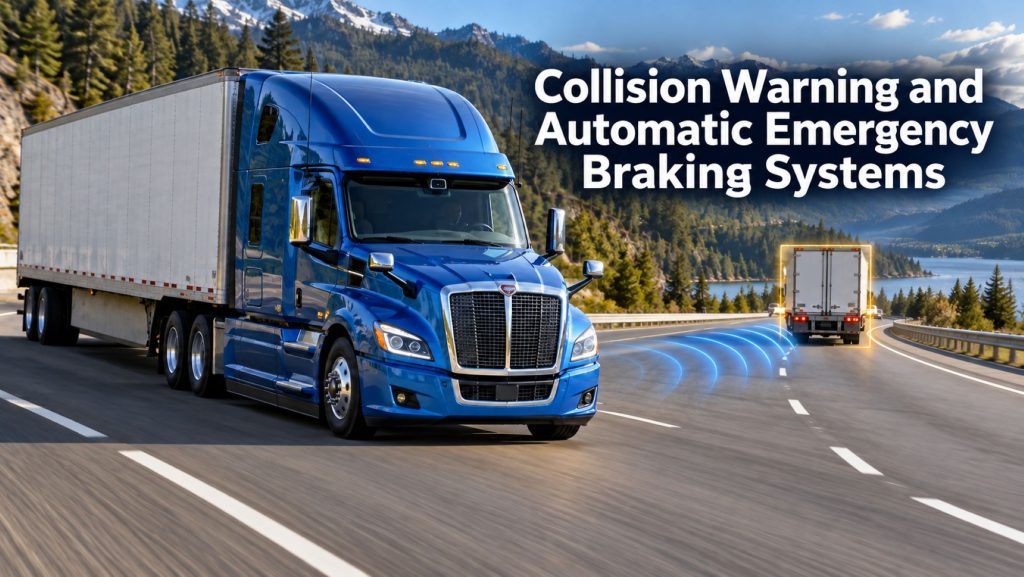
Collision warning and automatic emergency braking systems help commercial truck drivers recognize certain forward collision risks. Depending on the installed equipment, these systems can provide driver alerts, support following-distance awareness, and apply braking intervention within defined operating conditions.
Forward collision warning alerts the driver to a detected risk. Automatic emergency braking adds the ability to request braking through supported vehicle controls. The functions available on a particular truck depend on its system generation, vehicle configuration, software, and installed components.
Truck Equipment Atlas covers collision-warning equipment, integrated collision mitigation systems, radar and camera technology, driver interfaces, vehicle compatibility, operating limitations, inspection, calibration, and individual product families.
Collision Warning and Emergency Braking Systems on Truck Equipment Atlas
Explore the product profiles being added to this category. Warning-only equipment and systems with supported braking intervention are identified separately within their individual profiles.
Bendix
- Bendix Wingman Fusion Collision Mitigation System
- Bendix Wingman Advanced Collision Mitigation System
ZF WABCO
Detroit
Mobileye
- Mobileye 8 Connect Collision Avoidance System — Forward hazard-warning equipment; do not assume vehicle braking control.
Additional product generations, vehicle-specific packages, sensors, and supporting components will be added as the Safety Systems Library expands.
How Collision Warning and Automatic Emergency Braking Work
A forward monitoring system evaluates information from its installed sensors and relevant vehicle inputs. Its software uses that information to identify conditions that meet the system’s warning or intervention criteria.
When a warning condition is detected, the driver receives the alerts provided by that installation. If automatic emergency braking is supported and its activation conditions are met, the system can request braking through the vehicle’s integrated controls.
The driver must understand the equipment’s operating instructions, remain attentive, and respond to developing hazards. Collision mitigation describes an intended reduction in risk or impact severity; it does not guarantee that a collision will be avoided.
Collision Warning vs Automatic Emergency Braking
Forward Collision Warning
Forward collision warning provides an alert when the system identifies a supported collision-risk condition. A warning-only installation relies on the driver to take the appropriate braking or steering action.
Automatic Emergency Braking
Automatic emergency braking adds supported braking intervention. The system’s operating range, recognized targets, braking response, and interaction with driver inputs must be checked in the documentation for the exact vehicle.
Adaptive Cruise Control
Adaptive cruise control manages speed and following distance during supported cruise operation. Although it may share components with collision mitigation equipment, its normal following-distance function is different from an emergency braking response.
Integrated Safety Packages
A vehicle safety package may combine several functions under one product name. Review each enabled function separately rather than assuming that collision warning, cruise assistance, lane assistance, and pedestrian detection are all included.
Major System Components
Depending on the product and vehicle configuration, an installation may include:
- Forward-facing radar sensor.
- Forward-facing camera.
- Processing electronics or an integrated control unit.
- Driver display and warning indicators.
- Audible or other supported alerts.
- Electrical supply and wiring harnesses.
- Vehicle-network connections.
- Approved sensor and camera brackets.
- Supported brake-system interfaces.
- Diagnostic and calibration tools.
Not every system contains every component listed above. Use the equipment identification and vehicle documentation to establish the installed configuration.
Radar, Camera, and Combined Sensor Designs
Collision-warning and mitigation products use different sensor arrangements. Some rely on radar, some use camera-based analysis, and others combine information from multiple sources.
The sensor type alone does not establish the complete capability. Detection coverage, software, vehicle inputs, installation, and operating conditions all matter when comparing systems.
For a practical comparison, ask which situations the specific product is designed to recognize and what response it provides in each situation. Review moving vehicles, stationary vehicles, pedestrians, and other targets individually where the manufacturer documents those functions.
Highway Collision Warning and Mitigation
Highway applications place emphasis on forward traffic, changing closing speeds, following distance, and developing queues. Equipment selection should consider the vehicle’s typical routes and the documented capabilities of its installed system.
- Forward vehicle detection.
- Following-distance alerts.
- Supported collision warnings.
- Supported braking intervention.
- Interaction with adaptive cruise control.
- System status and driver controls.
Regional and Urban Applications
Regional and delivery routes can involve frequent stops, turns, intersections, changing traffic patterns, and nearby pedestrians or cyclists. Review the system’s documented operating conditions against these routes rather than applying highway assumptions to every situation.
Forward monitoring also has a different role from side detection or reversing equipment. Fleets may need additional safety technologies to address hazards outside the forward system’s monitored area.
Vocational and Specialized Truck Applications
Vocational vehicles require application-specific review. Body equipment, front-mounted accessories, changing work environments, and exposure to dirt or damage can affect installation planning and inspection needs.
Confirm that the proposed system is approved for the truck configuration and intended duty. Do not assume a highway tractor installation can be transferred directly to a dump truck, refuse vehicle, utility truck, or specialized chassis.
Common Specifications and Operating Conditions
Important information to obtain for the exact system includes:
- Product generation and component part numbers.
- Supported vehicle models and configurations.
- Operating speeds for each function.
- Target types recognized by the system.
- Detection coverage and documented limitations.
- Warning types and driver-interface details.
- Available braking functions.
- Electrical and network requirements.
- Installation and calibration procedures.
- Diagnostic and service requirements.
Specifications from one generation should not be applied to another without confirmation, even when both carry the same product-family name.
Braking Performance and Vehicle Integration
A supported braking request acts through the vehicle’s braking equipment. Electronic assistance does not establish the condition of tires, brakes, air systems, or other mechanical components.
Keep the collision mitigation system and the vehicle’s physical maintenance requirements connected. Brake faults, system warnings, or unusual behavior should be evaluated through the appropriate vehicle and product service procedures.
Mounting, Alignment, and Calibration
Use approved locations, brackets, and alignment procedures for radar and camera equipment. Installation geometry is part of the system configuration and should be preserved during maintenance and repairs.
After work involving a sensor, camera, windshield, bumper, bracket, or related vehicle geometry, check the manufacturer’s calibration requirements. Complete any specified checks before returning the system to service.
Common System Problems
Conditions requiring investigation can include:
- Obstructed sensor or camera surfaces.
- Damaged or displaced mounting hardware.
- Incorrect replacement components.
- Incomplete calibration or configuration.
- Wiring, connector, or electrical supply problems.
- Vehicle-network or related control-system faults.
- Unavailable-system messages.
- Unexpected or recurring alerts.
Document the warning, driving conditions, and vehicle information before diagnosis. A recurring alert does not identify its cause by itself.
Inspection and Maintenance
Include the installed equipment in routine vehicle checks and follow the manufacturer’s service instructions.
- Check system status indicators.
- Inspect accessible sensors and cameras for damage or obstruction.
- Check brackets and attachment points.
- Inspect accessible wiring and connectors.
- Use approved cleaning methods.
- Report faults and unusual operation.
- Record relevant repairs, updates, and calibration work.
Use qualified service personnel and supported procedures for functional testing. Do not create a collision scenario to test warning or braking behavior.
Driver Alerts and Operator Training
Training should explain the alerts, controls, and limitations of the equipment installed on the individual vehicle. Drivers should know how to identify a faulted or unavailable function and how to report it.
Review the difference between a following-distance notification, a collision warning, and a system-status message. Understanding those distinctions helps drivers interpret the equipment consistently.
Common Applications
- Long-haul highway tractors.
- Regional and day-cab tractors.
- Pickup-and-delivery trucks.
- Distribution and box trucks.
- Vocational trucks with an approved installation.
- Specialized commercial vehicles with documented compatibility.
Selecting a Collision Warning or Emergency Braking System
Begin with the vehicle configuration and the functions the operation needs. Compare complete installations rather than isolated sensor specifications or marketing names.
- Verify approved vehicle compatibility.
- Identify warning-only and braking-intervention functions.
- Review documented target recognition and operating conditions.
- Confirm required components and integration work.
- Check retrofit eligibility where applicable.
- Review driver training requirements.
- Identify installation, calibration, and repair support.
- Confirm any optional recording or fleet-reporting services.
- Compare installed cost and ongoing ownership requirements.
Ask the supplier to identify the exact hardware and functions included in the quote. Features available elsewhere in a product family may require different equipment or vehicle integration.
Related Safety System Categories
- Adaptive Cruise Control Systems
- Lane Departure Warning and Lane Keeping Systems
- Blind-Spot and Vulnerable Road User Detection Systems
- Reversing Safety and Audible Warning Systems
- Camera Monitor and Surround-View Systems
Related Safety System Guides
- Safety System Guides
- How Commercial Truck Safety Systems Work
- Collision Warning and Automatic Emergency Braking Explained
- Adaptive Cruise Control for Commercial Trucks Explained
- Lane Departure Warning and Lane Keeping Assistance Explained
- Blind-Spot Detection and Camera Monitor Systems Explained
- How to Choose a Commercial Truck Safety System
Related Truck and Equipment Resources
- Safety Systems
- Commercial Trucks
- Commercial Trailers
- Brake Systems
- ABS and Electronic Braking Systems
- Tires & Wheels
- Electrical Systems
- Telematics & ELD Systems
- Equipment Systems
Collision Warning and Emergency Braking Library Expansion
Truck Equipment Atlas will expand this category with additional product generations, manufacturer platforms, vehicle-specific installations, and supporting equipment.
- Additional forward collision-warning products.
- Automatic emergency braking system generations.
- Radar and camera component profiles.
- Factory-installed safety packages.
- Approved retrofit and upgrade configurations.
- Driver-interface and calibration resources.
- Comparisons of warning and intervention capabilities.
The goal is to provide an organized reference that helps readers understand how these systems differ and which questions matter when evaluating a particular commercial vehicle.
Explore the Complete Safety Systems Library
Visit the Safety Systems hub to explore collision mitigation, adaptive cruise control, lane assistance, blind-spot detection, reversing equipment, camera monitor systems, product profiles, and educational guides.
Follow the Growth of Truck Equipment Atlas
Truck Equipment Atlas continues to expand with new truck profiles, trailer coverage, diesel engine pages, equipment-system resources, manufacturer information, and educational guides.
Visit the Truck Equipment Atlas Site Updates page to explore recent additions, project milestones, and upcoming resources.