
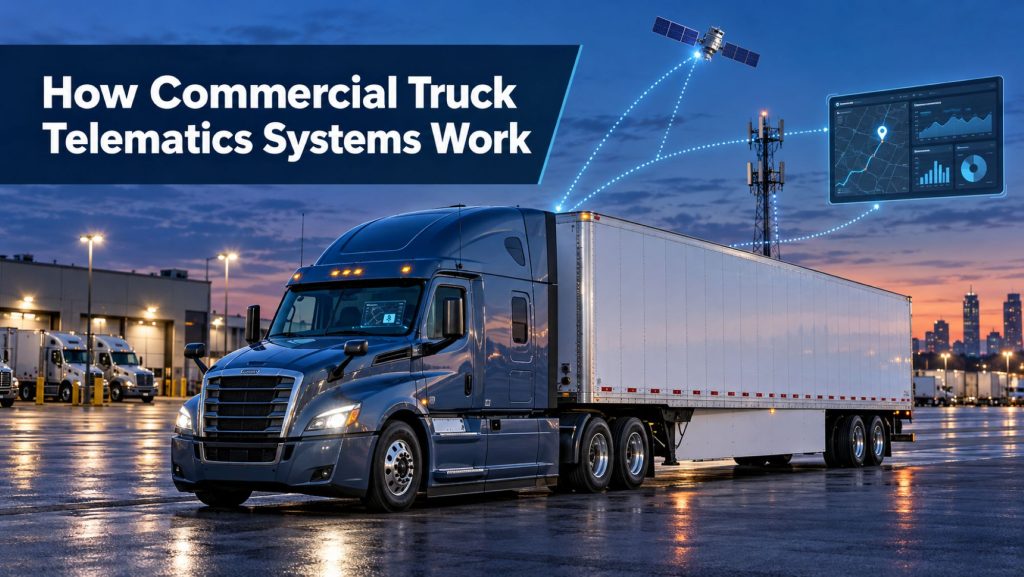
Commercial truck telematics systems connect vehicles, drivers, trailers, fleet offices, and service teams through a continuous flow of operational data. These systems can report vehicle location, engine condition, driver activity, fuel use, safety events, maintenance needs, and cargo or trailer status.
A telematics system is more than a GPS tracker. It combines onboard hardware, vehicle data networks, wireless communications, software platforms, and connected sensors to turn information from the truck into useful fleet-management tools.
This guide explains how commercial truck telematics systems work, the major components involved, how information moves between the vehicle and fleet office, and how telematics supports safety, compliance, maintenance, routing, fuel management, and business operations.
What Is a Commercial Truck Telematics System?
A commercial truck telematics system is a connected technology system that collects information from a vehicle, adds location and time data, and sends that information to a remote software platform.
A typical system can include:
- An onboard telematics control unit
- Global navigation satellite system positioning
- Cellular or satellite communication
- Connections to the truck’s electronic control modules
- Driver identification and input devices
- Electronic logging device functions
- Dash cameras or other connected sensors
- A cloud-based fleet-management platform
- Mobile applications and office dashboards
The exact combination depends on the fleet, vehicle, application, and service provider. A small carrier may use location tracking and electronic logs, while a large fleet may integrate telematics with dispatch, maintenance, payroll, fuel, routing, safety, and transportation-management systems.
Telematics, GPS Tracking, and ELDs
Telematics, GPS tracking, and electronic logging devices are closely related, but they are not identical.
- GPS fleet tracking focuses primarily on vehicle location, movement, routes, stops, and geofences.
- An electronic logging device records required driving-time information and supports hours-of-service compliance.
- A telematics system can combine location, vehicle, driver, safety, maintenance, and operational data in one connected platform.
Many modern systems provide all three functions through shared hardware and software. Learn more in Electronic Logging Devices and Hours-of-Service Compliance Explained and GPS Fleet Tracking and Vehicle Telematics Explained.
The Basic Telematics Data Path
The basic flow of information can be simplified as:
Truck Systems and Sensors → Telematics Control Unit → Cellular or Satellite Network → Cloud Platform → Fleet Dashboard, Mobile App, or Connected Business System
The onboard unit receives data from the truck and its connected devices. It associates that information with the vehicle’s position and time, then transmits selected records to the telematics provider’s remote platform.
Software processes the incoming information and presents it as maps, reports, alerts, driver records, maintenance items, safety events, or application programming interface data for another business system.
The Telematics Control Unit
The telematics control unit is the onboard device that connects the truck to the remote platform. It may be installed by the vehicle manufacturer, supplied by a telematics provider, built into an ELD, or integrated with another connected device.
Depending on the design, the unit may contain:
- A processor and internal memory
- A cellular modem
- A satellite-positioning receiver
- Antennas
- Vehicle-network interfaces
- Wi-Fi or Bluetooth connectivity
- Digital and analog input connections
- Backup power capability
- Security hardware and software
The unit can continue collecting information when the truck temporarily loses network coverage. Stored records are commonly transmitted after communication becomes available again.
How the System Determines Vehicle Location
Most telematics units use signals from a global navigation satellite system to calculate vehicle position. GPS is the most familiar system, although modern receivers may use signals from more than one satellite constellation.
The position record can include:
- Latitude and longitude
- Direction of travel
- Vehicle speed
- Elevation where supported
- Date and time
- Position accuracy information
The telematics platform can place these records on a map and combine them with ignition status, vehicle activity, driver assignment, stops, routes, and customer locations. The result is the foundation of GPS fleet tracking.
Vehicle Network Connections
Commercial trucks use electronic data networks so control modules can share information. A telematics device can connect to the vehicle network to read approved data generated by the engine, transmission, braking, emissions, and other electronic systems.
Common commercial-vehicle communication standards include Society of Automotive Engineers J1939 and related controller area network technology. Older vehicles or particular equipment may use different data links or dedicated inputs.
Available information may include:
- Engine speed
- Vehicle speed
- Odometer or distance information
- Engine operating hours
- Fuel-use data
- Coolant temperature
- Oil-pressure information
- Battery or charging-system voltage
- Diagnostic trouble codes
- Aftertreatment status
- Brake or stability-system events where supported
Not every vehicle exposes the same information, and the meaning or precision of a data item can vary by manufacturer, model year, configuration, and connection method.
Wireless Communication
After collecting the required information, the telematics unit sends data through a wireless connection.
Cellular Communication
Cellular service is the primary communication method for many highway fleets. It can provide frequent data updates and enough bandwidth for vehicle records, messages, documents, and selected video events.
Satellite Communication
Satellite communication can extend coverage into areas where terrestrial cellular service is unavailable. It may be used as the primary link in remote operations or as a backup for critical messaging and location reporting.
Wi-Fi and Bluetooth
Wi-Fi and Bluetooth can connect the telematics device with a driver’s tablet, phone, sensors, cameras, diagnostic tools, or a local network at a terminal. These connections serve different purposes than the wide-area cellular or satellite link.
Cloud-Based Telematics Platforms
The cloud platform receives information from the vehicle fleet and turns it into usable tools. Users typically access the platform through a secure website, mobile application, or connected business application.
A fleet dashboard may show:
- Current vehicle and asset locations
- Vehicle movement and ignition status
- Assigned drivers
- Hours-of-service availability
- Active diagnostic faults
- Maintenance reminders
- Fuel and idle reports
- Safety events
- Route progress and estimated arrival times
- Trailer, cargo, or sensor status
The value of the system depends not only on the amount of data collected, but also on whether the platform converts that data into accurate, timely, and manageable information.
Real-Time Data and Stored Data
The phrase real time is often used broadly. In practice, every telematics system has a reporting interval and a delay between the event occurring and the information appearing in the platform.
Update speed can depend on:
- The type of event
- The system’s reporting configuration
- Cellular or satellite coverage
- Network congestion
- Device power state
- Subscription and data-plan limits
- The time required for server processing
A critical engine alert or collision event may be transmitted immediately, while routine location or performance records may be grouped and uploaded at scheduled intervals.
Electronic Logging and Driver Records
Many telematics systems include electronic logging functions. The ELD synchronizes with the vehicle’s engine to record required information related to driving time and vehicle movement.
The driver uses an in-cab display or mobile device to review duty status, certify records, enter required annotations, present records during an inspection, and manage other compliance functions.
An ELD is a regulated compliance tool, so fleets should verify that the device and software meet current requirements for their operation. A general GPS tracker without compliant electronic logging functions is not automatically an ELD.
See Electronic Logging Devices and Hours-of-Service Compliance Explained for a closer look at driver logs, records, malfunctions, data transfer, and hours-of-service support.
Vehicle Diagnostics and Fault Reporting
When connected to the truck’s electronic systems, telematics can report diagnostic trouble codes and related operating information to the fleet office.
A remote alert may help a maintenance team:
- Identify the affected vehicle
- Review the fault code and time of occurrence
- See the vehicle’s location
- Evaluate related engine data
- Contact the driver
- Prepare a repair location before arrival
- Decide whether additional diagnosis is necessary
A fault code does not always identify the failed part. It indicates that a monitored condition has moved outside its expected range. Proper troubleshooting, manufacturer service information, and physical inspection remain necessary.
Preventive and Predictive Maintenance
Telematics can help schedule maintenance using actual vehicle activity instead of relying only on calendar time or manually reported mileage.
Maintenance triggers may use:
- Odometer distance
- Engine hours
- Idle hours
- Fuel consumption
- Power-take-off operating time
- Diagnostic events
- Time since the previous service
- Application-specific sensor data
Predictive systems go further by analyzing patterns and changes that may indicate developing problems. Their recommendations should support—not replace—qualified inspection, testing, and manufacturer maintenance procedures.
Fuel Use, Idling, and Driver Performance
Telematics platforms can organize vehicle and driver data into reports intended to improve fuel efficiency and operating consistency.
Common measurements include:
- Fuel economy
- Idle time
- Engine speed
- Speeding events
- Hard acceleration or braking
- Cruise-control use
- Coasting behavior where supported
- Power-take-off fuel use
- Fuel purchased compared with fuel consumed
Results should be interpreted in context. Terrain, weather, traffic, payload, trailer type, engine configuration, route, and customer requirements can all affect fuel use and driving events.
Safety Events and Driver Coaching
Telematics can identify events that may deserve safety review. Depending on the connected equipment, these can include speeding, rapid deceleration, sharp cornering, stability-control activation, following-distance concerns, lane departure, or possible collision events.
Event data can help a fleet find recurring patterns and provide targeted coaching. A single data point should not automatically be treated as proof of unsafe conduct. Road conditions, evasive action, inaccurate thresholds, sensor limitations, and missing context can affect the record.
Video can provide additional context. Learn how cameras, event triggers, onboard processing, and cloud review work in AI Dash Cameras and Video Telematics Explained.
AI Dash Cameras and Video Telematics
A connected dash camera can record the road, the cab, or both, depending on the installation and fleet policy. Video telematics combines camera footage with vehicle data such as speed, braking, location, and event time.
Some systems use onboard or cloud-based artificial intelligence to identify possible events, including:
- Following too closely
- Lane departure
- Distracted driving indicators
- Seat-belt nonuse
- Stop-sign or traffic-signal concerns
- Possible collision or near-collision events
Automated classifications can be incorrect and should be reviewed by trained personnel. Fleets should also establish clear policies for camera placement, access, retention, driver notification, coaching, and privacy.
Dispatch, Routing, and Estimated Arrival Times
Location and vehicle-status information can help dispatchers understand where equipment is, whether it is moving, and how a trip is progressing.
When connected with dispatch or transportation-management software, telematics can support:
- Vehicle assignment
- Route planning
- Driver messaging
- Arrival and departure records
- Estimated arrival times
- Out-of-route alerts
- Customer delivery updates
- Detention documentation
- Proof-of-service workflows
Commercial-vehicle routing should account for vehicle height, weight, length, axle restrictions, hazardous-material rules, and other truck-specific limitations. A consumer navigation route may not be suitable for a commercial truck.
Geofences and Landmark Events
A geofence is a virtual boundary drawn around a real-world location. The platform can create an event when a truck, trailer, or asset enters or leaves that area.
Fleets may use geofences for:
- Terminal arrivals and departures
- Customer-site activity
- Automatic detention records
- Unauthorized movement alerts
- Yard inventory
- Route compliance
- Maintenance-facility visits
- Fuel-stop reporting
Geofence accuracy depends on positioning quality, boundary size, reporting frequency, and software configuration. Very small boundaries or long reporting intervals can create delayed or missed events.
Trailer and Asset Tracking
Trailer and asset telematics extends connected visibility beyond the tractor. A trailer tracker may use its own cellular modem, satellite-positioning receiver, battery, solar charging system, or connection to tractor power.
Depending on the equipment, a fleet may monitor:
- Trailer location
- Loaded or unloaded status
- Door position
- Refrigerated-compartment temperature
- Reefer operating data
- Battery condition
- Tire-pressure information
- ABS fault status
- Unauthorized movement
- Yard entry and departure
Explore these systems in Commercial Trailer and Asset Tracking Systems Explained.
Original-Equipment and Aftermarket Telematics
Original-equipment telematics is installed or supported by the vehicle manufacturer. It may have direct access to manufacturer-specific vehicle data, remote diagnostics, software services, and dealer support.
Aftermarket systems can be installed across multiple vehicle brands and model years. They may give a mixed fleet one common dashboard, shared driver workflow, or standardized reporting system.
Some fleets use both. Vehicle-manufacturer services may support detailed diagnostics, while a separate fleet platform manages ELDs, dispatch, cameras, trailers, and cross-brand reporting.
System Integrations and APIs
An application programming interface, commonly called an API, allows approved data to move between the telematics platform and another software system.
Common integrations include:
- Transportation-management systems
- Maintenance-management software
- Fuel-card platforms
- Payroll and driver-settlement systems
- Customer tracking portals
- Route-optimization software
- Insurance and safety platforms
- Trailer and asset systems
- Data warehouses and business-intelligence tools
Before selecting a system, fleets should determine which integrations are included, which require additional fees, how often data is exchanged, and who is responsible for maintaining each connection.
Data Accuracy and Context
Telematics information is useful only when users understand where it came from and what it represents.
Accuracy can be affected by:
- Incorrect device installation
- Weak satellite reception
- Loss of cellular coverage
- Vehicle-network limitations
- Sensor calibration
- Incorrect vehicle or driver assignment
- Software configuration
- Delayed data uploads
- Changes to vehicle electronics
A fleet should validate important reports against known vehicle records and investigate unexpected changes before using the data for maintenance, discipline, payroll, billing, or compliance decisions.
Cybersecurity and Access Control
A telematics system handles sensitive information about vehicles, drivers, routes, customers, cargo, and company operations. Security should be evaluated as part of system selection and daily administration.
Important controls can include:
- Individual user accounts
- Role-based permissions
- Multi-factor authentication
- Encryption during transmission and storage
- Device and software updates
- Audit logs
- Prompt removal of former users
- Vendor incident-response procedures
- Controlled API and third-party access
Default passwords, shared accounts, unnecessary administrator access, and unreviewed third-party connections can create avoidable risk.
Driver Privacy and Fleet Policy
Connected systems can collect detailed records about location, driving activity, communications, and video. Fleets should clearly explain what is collected, why it is collected, who can review it, how long it is retained, and how it will be used.
Policies should address:
- Personal use of company vehicles
- Driver-facing and road-facing cameras
- Audio recording
- Off-duty tracking
- Data retention
- Safety review and coaching
- Access to records
- Corrections and disputes
- Applicable federal, state, and local requirements
A technically capable system should still be operated under a lawful, consistent, and clearly communicated policy.
Installation and Power Considerations
Telematics hardware must be installed using the approved connection points, wiring, mounting, and antenna placement for the vehicle and device.
An installation may involve:
- Constant battery power
- Ignition-switched power
- Ground connection
- Vehicle data-network access
- A diagnostic connector
- External antennas
- Camera or sensor connections
- A tamper-resistant mounting location
Poor wiring can create intermittent data, voltage loss, battery drain, blown fuses, network faults, or device failure. Follow the device and vehicle manufacturers’ installation instructions and protect all connections from abrasion, moisture, heat, and accidental damage.
For more about truck electrical architecture, see How Commercial Truck Electrical Systems Work and How to Inspect and Maintain Truck Wiring and Electrical Connections.
Common Telematics Problems
| Problem | Possible causes |
|---|---|
| Vehicle stops reporting | Loss of power, failed fuse, damaged wiring, device fault, antenna problem, or network outage |
| Location is delayed | Poor cellular service, stored data awaiting upload, long reporting interval, or server-processing delay |
| Incorrect vehicle location | Weak satellite reception, indoor parking, antenna obstruction, multipath signal error, or device configuration |
| Driver assigned to the wrong vehicle | Improper login, uncompleted logout, account sharing, dispatch error, or device pairing problem |
| Vehicle data is missing | Unsupported parameter, incorrect data-network connection, adapter fault, configuration error, or vehicle limitation |
| Repeated device reboots | Low voltage, unstable power, poor ground, damaged connector, overheating, or hardware fault |
| Battery drain | Incorrect installation, excessive key-off activity, failing vehicle batteries, or device power-management problem |
| False safety alerts | Incorrect thresholds, sensor calibration, road conditions, camera obstruction, or incomplete event context |
Troubleshooting should begin with the exact device, vehicle, symptoms, event times, power supply, connection status, and provider diagnostic information.
How to Evaluate a Telematics System
The best platform is not necessarily the one with the longest feature list. It is the system that reliably supports the fleet’s actual vehicles, drivers, workflows, customers, and compliance responsibilities.
Important evaluation factors include:
- Vehicle and engine compatibility
- ELD and regulatory requirements
- Location-update frequency
- Cellular and satellite coverage
- Driver usability
- Office dashboard design
- Maintenance and diagnostic capabilities
- Camera and sensor compatibility
- Trailer and asset support
- API and software integrations
- Data ownership and export options
- Security and privacy controls
- Installation and replacement procedures
- Training and customer support
- Contract length and total cost
See How to Choose a Commercial Truck ELD and Telematics System for a detailed selection process.
Telematics System Functions at a Glance
| System function | Typical information or use |
|---|---|
| Vehicle tracking | Location, speed, direction, route history, stops, and geofence events |
| Electronic logging | Driving time, duty status, driver records, inspections, and data transfer |
| Remote diagnostics | Fault codes, warning conditions, vehicle identity, time, and location |
| Maintenance | Mileage, engine hours, service intervals, inspections, and repair planning |
| Fuel management | Fuel economy, idling, fuel use, and operating trends |
| Safety | Speeding, harsh events, stability events, video, and coaching records |
| Dispatch | Vehicle availability, trip progress, messaging, and estimated arrival times |
| Trailer tracking | Location, door status, cargo condition, temperature, and unauthorized movement |
| Business integration | Data exchange with transportation, maintenance, fuel, payroll, and customer systems |
Benefits of Commercial Truck Telematics
When properly selected and managed, telematics can help a fleet:
- Locate vehicles and equipment
- Improve dispatch visibility
- Support hours-of-service compliance
- Respond to diagnostic alerts
- Plan preventive maintenance
- Reduce unnecessary idling
- Review safety events
- Document arrivals and departures
- Protect trailers and mobile assets
- Provide customers with better shipment visibility
These benefits depend on correct installation, accurate data, trained users, practical policies, and consistent follow-through. Installing connected hardware alone does not improve a fleet unless the information leads to useful action.
Limitations of Telematics
Telematics cannot eliminate every operational problem or replace professional judgment.
Important limitations include:
- Coverage gaps can delay reporting.
- Vehicle data may be incomplete or manufacturer-specific.
- Automated alerts can produce false positives.
- Diagnostic codes still require proper troubleshooting.
- Software integrations require setup and maintenance.
- Excessive alerts can overwhelm users.
- Poor policies can create driver distrust.
- Subscriptions, hardware, installation, and data services add cost.
- Technology changes can affect older devices and networks.
A successful program starts with clearly defined problems, measurable goals, responsible data use, and a plan for acting on the information collected.
Related Telematics & ELD System Guides
- How Commercial Truck Telematics Systems Work
- Electronic Logging Devices and Hours-of-Service Compliance Explained
- How to Choose a Commercial Truck ELD and Telematics System
- GPS Fleet Tracking and Vehicle Telematics Explained
- AI Dash Cameras and Video Telematics Explained
- Commercial Trailer and Asset Tracking Systems Explained
Manufacturer and Regulatory References
Use current instructions, compatibility information, regulatory guidance, and service procedures for the exact vehicle, device, software version, and operating application.
- Federal Motor Carrier Safety Administration Electronic Logging Devices
- FMCSA ELD Information and Registered Device Resources
- SAE J1939 Standards Information
- National Highway Traffic Safety Administration Vehicle Cybersecurity
Final Thoughts
A commercial truck telematics system connects the physical vehicle with the people and software responsible for operating the fleet. The onboard unit collects location, vehicle, driver, and sensor information. Wireless networks carry that information to a remote platform, where it becomes maps, alerts, reports, logs, video events, and business-system data.
GPS tracking shows where equipment is. Electronic logging supports driver records and hours-of-service compliance. Vehicle-network connections provide operating and diagnostic information. Cameras add visual context, while trailer trackers extend visibility beyond the tractor.
The strongest telematics programs combine compatible hardware, accurate data, secure access, clear policies, useful integrations, trained users, and a practical response process. Understanding how these pieces work together helps carriers, drivers, technicians, fleet managers, and equipment buyers choose systems that support real operating needs.
Truck Equipment Atlas will continue expanding its telematics, ELD, GPS tracking, video safety, trailer tracking, electrical-system, and commercial truck technology resources as the educational library grows.