
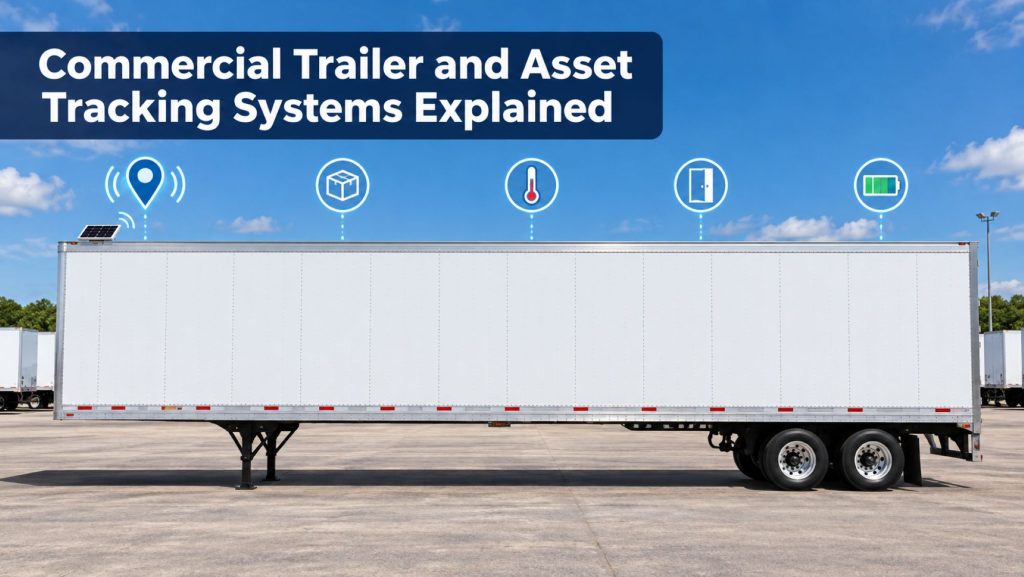
Commercial trailer and asset tracking systems help fleets locate equipment that may spend hours, days, or weeks disconnected from a tractor. Modern systems can provide much more than a map position, including movement alerts, cargo status, temperature, door activity, tire information, brake-system faults, and maintenance data.
The correct system depends on the asset, operating environment, required update frequency, available power, communications coverage, and the decisions the fleet needs to make from the data.
This guide explains how commercial trailer and asset tracking systems work, the different device types, common sensors and alerts, installation considerations, and how fleets can evaluate a system before deployment.
What Is a Trailer or Asset Tracking System?
A trailer or asset tracking system uses an installed or portable device to determine an asset’s location and transmit information to a fleet-management platform. The tracked asset may be a dry van, refrigerated trailer, flatbed, chassis, container, dolly, generator, construction machine, tank, or other mobile equipment.
Unlike tractor telematics, the tracker must continue operating when the trailer or equipment is uncoupled. This makes power management, battery capacity, antenna placement, and reporting strategy especially important.
For the broader connected-fleet system, read How Commercial Truck Telematics Systems Work.
How Trailer Tracking Works
1. The Device Determines Its Location
A receiver uses navigation-satellite signals to estimate the tracker’s location. Buildings, enclosed trailers, stacked containers, covered storage, tunnels, terrain, antenna position, and interference can affect reception.
2. Sensors Collect Asset Information
Depending on the installation, the device may collect battery condition, movement, door position, cargo presence, temperature, humidity, tire pressure, wheel-end information, refrigeration-unit data, or trailer brake-system faults.
3. The Device Transmits Data
Most connected trackers use a cellular network. Some equipment supports satellite communication or other low-power networks. When communication is unavailable, the tracker may store reports and transmit them after coverage returns.
4. The Platform Creates Maps and Alerts
The fleet platform organizes incoming information into maps, asset inventories, trip histories, geofences, alerts, reports, maintenance records, and connections with transportation-management or yard-management software.
Trailer Tracking Versus Tractor Tracking
| Characteristic | Tractor telematics | Trailer or asset tracking |
|---|---|---|
| Primary power | Vehicle electrical system | Trailer power, internal battery, solar, or replaceable battery |
| Engine data | Often available through the vehicle network | Usually unavailable unless connected to specialized equipment |
| Uncoupled operation | Not applicable to the tractor | Essential for locating idle or dropped assets |
| Typical sensors | Engine, fuel, diagnostics, driver, and safety data | Door, cargo, temperature, tire, brake, movement, and power data |
| Reporting strategy | Frequent while the vehicle operates | Balanced against stored energy and asset activity |
A tractor’s GPS position only shows the location of the trailer while the two remain connected. Independent trailer tracking is needed when the fleet must locate or monitor the trailer after uncoupling.
Common Tracker Power Sources
Trailer-Powered Trackers
A hardwired device can charge or operate when connected to tractor or trailer power. It may use an internal backup battery to continue reporting after the trailer is disconnected.
Solar-Assisted Trackers
A solar panel can recharge the internal battery and extend operation while the asset is uncoupled. Performance depends on panel size, mounting angle, cleanliness, shade, weather, reporting frequency, temperature, and battery condition.
Battery-Powered Trackers
Self-contained battery trackers can be installed on equipment without a dependable electrical source. Battery life depends heavily on movement detection, update intervals, network conditions, temperature, and the number of connected sensors.
Replaceable-Battery and Disposable Trackers
Compact trackers may use replaceable cells or be designed for limited-duration shipments. Fleets should compare service life, environmental protection, mounting security, replacement cost, and disposal requirements.
Location Reporting and Update Intervals
A trailer tracker does not necessarily report continuously. It may send updates when moving, at scheduled intervals, when crossing a geofence, after a door opens, when external power changes, or when a sensor exceeds a threshold.
Frequent updates improve visibility but consume more energy and cellular data. Long intervals may extend battery life but provide less useful information during theft, misrouting, or yard searches.
- Moving update interval
- Stationary update interval
- Wake-on-motion behavior
- Power-disconnect reporting
- Communication-loss storage
- Location accuracy
- Historical-data retention
- International and roaming coverage
Learn more about location technology in GPS Fleet Tracking and Vehicle Telematics Explained.
Geofences and Movement Alerts
A geofence is a virtual boundary around a terminal, customer, yard, port, jobsite, or other location. The platform can report when a tracked asset enters, exits, or remains within that area.
- Arrival and departure notifications
- Unauthorized movement alerts
- Movement outside approved hours
- Unexpected route or location changes
- Long dwell-time alerts
- Customer detention records
- Yard entry and exit history
Geofence events depend on position accuracy, update intervals, boundary size, and data-processing time. A small boundary and an infrequent update schedule can produce late or missed notifications.
Cargo and Load-Status Sensors
Cargo sensors can help determine whether an enclosed trailer appears loaded or empty. Systems may use ultrasonic, optical, pressure, suspension, or other sensing methods.
Load-status information can improve trailer utilization and reduce unnecessary yard searches. However, cargo shape, placement, debris, interior configuration, sensor obstruction, and environmental conditions can affect detection. The result should not replace physical verification when accuracy is critical.
Door and Cargo-Security Monitoring
A door sensor can report when a trailer door opens or closes. When combined with time and location, it can help identify loading activity, unexpected access, or a door event outside an authorized location.
- Door-open and door-close time
- Door activity outside an approved geofence
- Unexpected access during transit
- Extended open-door duration
- Combination with cargo-presence data
- Integration with seals, locks, or cargo cameras
A monitoring system does not physically secure cargo. Locks, seals, cargo securement, access control, inspections, and established security procedures remain necessary.
Refrigerated Trailer Monitoring
Refrigerated-trailer telematics may connect with the refrigeration unit or independent sensors to report temperature, setpoint, operating mode, fuel level, battery condition, alarms, and unit status.
- Supply-air and return-air temperature
- Independent cargo-area probes
- Refrigeration-unit operating status
- Setpoint changes
- Alarm and fault information
- Fuel and battery status
- Door-open duration
- Temperature history and reports
Sensor location matters. Air temperature near a refrigeration outlet, return-air path, door, wall, or cargo center can differ. Fleets should understand what each sensor measures, how it is calibrated, and whether the information meets customer or regulatory documentation needs.
Tire, Wheel-End, Brake, and Lighting Data
Connected trailer systems can collect information from compatible tire-pressure monitoring, automatic tire-inflation, wheel-end, brake, ABS, and lighting equipment.
- Low tire pressure or rapid pressure loss
- High tire temperature
- Wheel-end temperature alerts
- Trailer ABS fault information
- Brake-wear or brake-performance information when supported
- Lighting circuit or lamp faults
- Battery and electrical-system condition
Remote alerts can help prioritize an inspection, but they do not replace required pre-trip, post-trip, periodic, and maintenance inspections. A fault message should be diagnosed before parts are replaced.
Trailer Utilization and Yard Management
Tracking data can show which trailers are moving, loaded, empty, available, at a customer, in maintenance, or inactive. This can help fleets reduce trailer searches, identify underused equipment, and plan repositioning.
Accurate utilization reporting depends on clean asset records and clear status rules. A trailer that has not moved is not automatically available, and a cargo sensor result does not always establish whether the equipment is ready for dispatch.
Theft Detection and Recovery Support
Trackers can report unauthorized movement, power disconnection, geofence departure, or an unexpected location. Concealed backup trackers may provide an additional source of information if the primary unit is disabled.
Tracking can support recovery efforts, but it does not replace physical locks, controlled parking, secure yards, key management, cargo-security procedures, or prompt law-enforcement notification. Fleet personnel should not attempt recovery without appropriate authorities.
Installation and Mounting Considerations
- Follow the tracker, trailer, and equipment manufacturers’ instructions.
- Select a location with suitable satellite and cellular reception.
- Protect the device from impact, road debris, pressure washing, heat, and moisture.
- Keep wiring away from sharp edges, moving parts, exhaust heat, and abrasion.
- Use proper circuit protection and weather-resistant connections.
- Mount solar panels where they receive useful light and can be cleaned.
- Avoid interfering with structural members, brake lines, air lines, lights, doors, cargo, or required markings.
- Record the device identifier and the exact asset on which it is installed.
After installation, verify location reporting, external power, battery charging, sensor operation, geofence alerts, and the asset identification shown in the platform.
Maintenance and Battery Management
Tracking devices require periodic inspection even when they are designed for long unattended operation. Dirt, corrosion, loose mounts, damaged wiring, depleted batteries, outdated asset assignments, and blocked solar panels can reduce reliability.
- Inspect the enclosure, mount, antenna, wiring, and connectors.
- Confirm the device reports the correct asset identity.
- Review internal-battery condition and charging history.
- Clean solar panels according to manufacturer instructions.
- Test door, cargo, temperature, and other connected sensors.
- Investigate devices that have stopped reporting.
- Apply supported firmware and security updates.
- Document battery and device replacement dates.
Data Security and Access Control
Asset-tracking data can reveal cargo locations, customer activity, operating schedules, routes, yard inventories, and security patterns. Fleets should treat it as sensitive operational information.
- Use individual accounts and role-based permissions.
- Enable multifactor authentication when available.
- Remove access promptly when responsibilities change.
- Review vendor encryption, software updates, and incident-response practices.
- Limit customer access to the necessary shipment or asset.
- Define data-retention and deletion periods.
- Confirm how records can be exported when service ends.
- Maintain an accurate inventory of installed devices and retired equipment.
Integrating Tracking With Fleet Software
Trailer tracking can connect with transportation-management, dispatch, yard-management, maintenance, refrigeration, customer-visibility, and cargo-security systems.
- Confirm how tractors, trailers, drivers, loads, and customers are matched.
- Determine whether information moves in one direction or both directions.
- Ask which integrations require additional fees.
- Review application programming interface limits and support.
- Test alerts and records in the software employees actually use.
- Prevent duplicate or conflicting asset records.
A fleet selecting a combined platform should also review How to Choose a Commercial Truck ELD and Telematics System.
Limitations of Trailer and Asset Tracking
- A reported position may be delayed or inaccurate.
- Cellular coverage gaps can interrupt transmission.
- Battery life may be shorter than expected under frequent reporting.
- Solar charging can be reduced by shade, dirt, weather, or poor placement.
- Door and cargo sensors can become misaligned or obstructed.
- Temperature readings vary by sensor location and calibration.
- A remote fault alert does not replace physical inspection or diagnosis.
- A tracker can be damaged, removed, blocked, or deliberately disabled.
How to Evaluate a Trailer Tracking System
- Define the assets. List trailer types, equipment, operating regions, power sources, and environmental conditions.
- Identify required decisions. Determine whether the fleet needs location, utilization, theft alerts, cargo status, temperature, tire, brake, or maintenance information.
- Set reporting requirements. Decide how quickly moving and stationary assets must report.
- Calculate the power budget. Compare battery capacity, external charging, solar exposure, sensors, and update frequency.
- Test communications coverage. Include yards, customers, ports, rural routes, buildings, and cross-border operations.
- Verify sensor performance. Test loaded, empty, door-open, temperature, power-loss, and movement conditions.
- Review integrations. Confirm how tracking data enters dispatch, yard, maintenance, and customer systems.
- Calculate total cost. Include hardware, installation, subscriptions, cellular service, sensors, batteries, replacements, and integrations.
- Run a representative pilot. Include multiple trailer types, routes, terminals, customers, and uncoupled dwell periods.
Video and camera-based cargo monitoring are covered in AI Dash Cameras and Video Telematics Explained. Hours-of-service and engine-synchronized logging are covered in Electronic Logging Devices and Hours-of-Service Compliance Explained.
Questions to Ask a Tracking Provider
- How often does the tracker report while moving and while stationary?
- What happens when cellular or satellite reception is unavailable?
- How is expected battery life calculated?
- Which sensors are supported, and how are they calibrated?
- Can the system report power loss, tampering, or device removal?
- How long are location and sensor records retained?
- Who owns the data, and how can it be exported?
- What security updates and access controls are provided?
- What integrations are included?
- What are the hardware, activation, installation, subscription, roaming, and termination costs?
Related Telematics & ELD System Guides
- How Commercial Truck Telematics Systems Work
- Electronic Logging Devices and Hours-of-Service Compliance Explained
- How to Choose a Commercial Truck ELD and Telematics System
- GPS Fleet Tracking and Vehicle Telematics Explained
- AI Dash Cameras and Video Telematics Explained
Official and Technical References
- National Institute of Standards and Technology: Augmented Logistics and Smart Supply Chains
- National Institute of Standards and Technology: Economic Benefits of the Global Positioning System
- Cybersecurity and Infrastructure Security Agency: Asset Inventory Guidance
- Federal Motor Carrier Safety Administration: Cargo Securement Rules
- Federal Motor Carrier Safety Administration: Hazardous Materials Compliance
Final Thoughts
Commercial trailer and asset tracking systems can improve equipment visibility, utilization, cargo monitoring, security, maintenance planning, and customer communication. Their real value comes from providing the right information at the time someone can act on it.
The best system balances reporting frequency, battery life, sensor accuracy, communications coverage, installation quality, security, and operating cost. Fleets should test the equipment in real operating conditions and avoid treating remote data as a replacement for inspections, securement, maintenance, or professional judgment.