
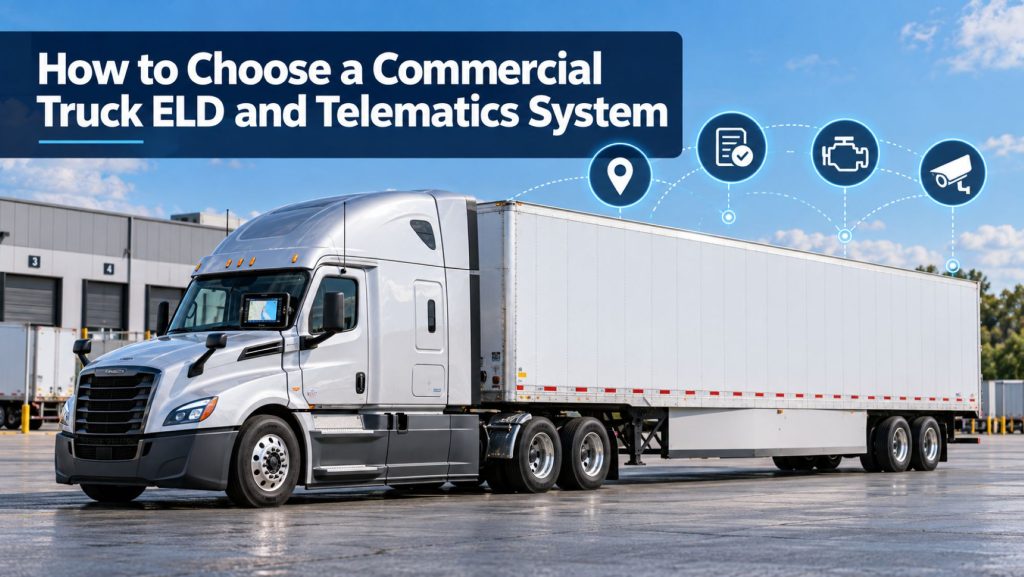
Choosing an electronic logging device and telematics system affects compliance, driver workflow, dispatch, maintenance, safety, fuel management, customer service, and fleet data for years after installation.
The lowest monthly price does not always produce the lowest total cost. A system that is difficult to use, unreliable during inspections, incompatible with fleet vehicles, or unable to exchange data with existing software can create far more expense than it saves.
This guide explains how to compare commercial truck ELD and telematics systems, identify the functions a fleet actually needs, evaluate vendors, test equipment, understand contract costs, and plan a successful rollout.
Start With the Fleet’s Actual Needs
Before comparing vendors, define the problems the system must solve. A local carrier, an over-the-road fleet, a refrigerated carrier, and a construction fleet may require very different capabilities.
List the required outcomes:
- Electronic hours-of-service records
- Roadside inspection and data-transfer support
- Vehicle location and route history
- Dispatch and driver messaging
- Remote engine diagnostics
- Preventive-maintenance scheduling
- Fuel and idle reporting
- Driver safety and coaching tools
- AI dash cameras
- Trailer and asset tracking
- Temperature or cargo monitoring
- Connections with existing business software
Separate mandatory requirements from optional features. This keeps an impressive demonstration from shifting attention away from the system’s essential purpose.
Decide Whether You Need an ELD, Telematics, or Both
An ELD records driver hours and supports hours-of-service compliance. A telematics platform can combine vehicle location, diagnostics, driver activity, fuel, safety, maintenance, and connected sensors.
Many systems combine these capabilities, but the terms are not interchangeable. A GPS tracker is not automatically a compliant ELD, and a basic ELD may not provide the fleet-management tools a larger operation needs.
Review How Commercial Truck Telematics Systems Work and Electronic Logging Devices and Hours-of-Service Compliance Explained.
Confirm the Exact ELD Is Registered
Check the exact ELD name, model number, identifier, provider, and available software information against the current Federal Motor Carrier Safety Administration registered-device list before purchase.
ELD providers self-certify that their devices meet federal technical requirements. Appearance on the list is not an FMCSA product endorsement. The motor carrier remains responsible for selecting and using a registered device.
Do not rely only on a sales page, product box, reseller statement, or similar product name. Verify the exact model and identifier shown in the proposal.
Check the Revoked ELD List
FMCSA can remove devices from the registered list when they do not meet required specifications. Check the revoked-device list before signing and monitor future notices.
Ask what happens if the device is revoked:
- Will replacement hardware be supplied?
- Will installation costs be covered?
- Can existing driver records be exported?
- Will termination fees be waived?
- How quickly can the fleet transition?
- Who will train drivers on the replacement?
Evaluate Vehicle Compatibility
A fleet may include different truck manufacturers, engines, model years, diagnostic connectors, and electronic architectures. Confirm compatibility for every major vehicle group.
- Truck manufacturer, model, and year
- Engine manufacturer and model
- Diagnostic-connector type
- Existing onboard equipment
- Power-take-off and vocational requirements
- Refrigerated, trailer, or auxiliary equipment
Ask which data is available from each vehicle. Engine hours, fuel use, diagnostic faults, odometer readings, aftertreatment information, and safety events may not be equally available across the fleet.
Choose the Hardware Format
| Approach | Potential advantages | Points to evaluate |
|---|---|---|
| Dedicated display | Consistent fleet-owned hardware and fixed mounting | Cost, replacement time, mounting, and training |
| Driver phone or tablet | Lower initial hardware cost | Compatibility, battery, data plans, distraction, and privacy |
| Fleet tablet | Supports ELD, navigation, messaging, and forms | Device management, charging, damage, and spare inventory |
| Integrated vehicle display | Clean installation and access to vehicle data | Brand limitations and mixed-fleet consistency |
Test the Driver Experience
Drivers use the system every day. During a live demonstration, have an actual driver:
- Log in and select a vehicle
- Add trailer and shipment information
- Change duty status
- Review available hours
- Add an annotation
- Accept or reject an edit
- Review unidentified driving
- Use authorized special driving categories
- Certify a log
- Display and transfer records for an inspector
- Find malfunction instructions
Count the steps and note where assistance is needed. A polished sales presentation does not replace hands-on testing.
Evaluate Hours-of-Service Features
- Driving, on-duty, off-duty, and sleeper-berth status
- The driving, duty-window, break, and cycle limits
- Sleeper-berth splits
- Adverse-condition annotations
- Short-haul and exempt-driver configurations
- Team drivers
- Personal conveyance and yard moves
- Unidentified driving
- Edits and certification
- Cross-border rules when applicable
Ask the vendor to demonstrate each required workflow rather than confirming it with a simple yes.
Test Roadside Inspection Functions
A driver must be able to present records during an inspection even when the fleet office is closed. Confirm drivers can open the inspection display, show required records, enter an output-file comment, use the registered transfer method, and access instructions without office assistance.
Review GPS Tracking and Coverage
Compare location-update frequency, map accuracy, trip history, geofences, arrival alerts, estimated arrival times, retention, exports, mobile access, and performance during coverage gaps.
Check cellular coverage across the fleet’s real routes, terminals, customer sites, mountains, construction areas, and rural regions. Ask whether satellite communication is available when needed. Learn more in GPS Fleet Tracking and Vehicle Telematics Explained.
Compare Diagnostics and Maintenance
Determine whether the system provides diagnostic codes, fault history, engine and aftertreatment information, battery alerts, mileage, engine hours, inspection reports, preventive-maintenance schedules, and connections with maintenance software.
A trouble code is not always a confirmed failed part. The platform should support qualified diagnosis rather than encourage automatic parts replacement.
Evaluate Fuel and Idle Reporting
Verify how fuel data is calculated, which vehicles support it, whether fuel-card transactions can be imported, and how reports account for power-take-off operation, terrain, payload, weather, and truck specification.
Decide Whether to Add Video Telematics
- Road-facing and driver-facing camera options
- Audio controls
- Event and continuous recording
- Onboard storage and requested video
- Upload speed and cellular use
- AI event accuracy
- Driver alerts and coaching
- Privacy, retention, and access controls
Automated classifications require human review. See AI Dash Cameras and Video Telematics Explained.
Include Trailers and Mobile Assets
A tractor system does not automatically locate an uncoupled trailer. Consider independent location, battery or solar operation, door status, loaded sensing, temperature, reefer data, tire pressure, ABS faults, unauthorized movement, and yard inventory.
Review Commercial Trailer and Asset Tracking Systems Explained.
Review Software Integrations
- Transportation-management and dispatch systems
- Maintenance platforms
- Fuel-card systems
- Payroll and settlements
- Customer portals
- Insurance and safety systems
- Routing and navigation
- Data warehouses and reporting tools
Confirm whether each connection is native, third-party, or custom. Document setup fees, ongoing charges, update frequency, available fields, and support responsibility.
Understand Data Ownership and Portability
- Can all records be exported in usable formats?
- Are APIs included?
- How long are ELD, GPS, diagnostic, message, and video records retained?
- What happens to data after cancellation?
- How quickly can the fleet receive an export?
- Are backups stored separately?
- How may the vendor use aggregated data?
Evaluate Cybersecurity and Privacy
- Multi-factor authentication
- Role-based permissions
- Encryption in transit and at rest
- Access audit logs
- Software and firmware updates
- Vulnerability reporting
- Incident notification
- API security
- Backup and recovery
- Removal of former users
Driver-facing cameras, audio, personal devices, and off-duty location records require especially clear policies.
Compare Support and Training
Ask about support hours, driver roadside help, response times, escalation, replacement shipping, weekend coverage, implementation assistance, training, and account management. Contact support during the trial rather than judging service only by the sales team.
Calculate the Total Cost
- Gateway and ELD hardware
- Display, mount, and charging equipment
- Installation labor
- Monthly vehicle and user subscriptions
- Cellular data
- Cameras, trackers, and sensors
- Integration and API fees
- Training and implementation
- Replacement charges
- Storage upgrades
- Termination fees and return requirements
Calculate the complete cost per vehicle across the full contract term.
Run a Real-World Pilot
Test representative vehicles, routes, drivers, team operations, dispatchers, safety staff, and maintenance personnel. Measure login errors, unidentified driving, location accuracy, delays, inspection transfers, fault reporting, support response, driver feedback, and integration performance.
Selection Scorecard
| Category | Question |
|---|---|
| Compliance | Is the exact device registered, and can drivers complete roadside transfer? |
| Compatibility | Does it support every major vehicle group and required data point? |
| Usability | Can drivers complete daily tasks accurately? |
| Coverage | Does communication work across real operating areas? |
| Features | Does it provide the required fleet, safety, and maintenance tools? |
| Integrations | Can it exchange needed data with existing systems? |
| Security | Are access, encryption, updates, and backups adequate? |
| Support | Can drivers and administrators obtain help when needed? |
| Portability | Can records be exported during and after the contract? |
| Cost | What is the complete contract-term cost? |
Warning Signs
- The vendor will not provide the exact FMCSA-listed model and identifier.
- The provider claims FMCSA endorsement.
- The vendor refuses a live roadside-transfer demonstration.
- Compatibility is promised without reviewing the fleet.
- Important features require undisclosed subscriptions.
- Data-export rights are unclear.
- The contract does not address revoked devices.
- Support is unavailable during driver operating hours.
- The vendor discourages pilot testing.
- Verbal promises are missing from the agreement.
Related Telematics & ELD System Guides
- How Commercial Truck Telematics Systems Work
- Electronic Logging Devices and Hours-of-Service Compliance Explained
- How to Choose a Commercial Truck ELD and Telematics System
- GPS Fleet Tracking and Vehicle Telematics Explained
- AI Dash Cameras and Video Telematics Explained
- Commercial Trailer and Asset Tracking Systems Explained
Official Selection Resources
- FMCSA Registered ELD List
- FMCSA Revoked ELD List
- FMCSA ELD Selection Checklist
- FMCSA Motor-Carrier Training Checklist
- FMCSA Carrier Checklist
Final Thoughts
The right commercial truck ELD and telematics system should meet compliance requirements, work across the fleet’s vehicles, remain simple for drivers, provide useful information, connect with existing software, protect sensitive data, and receive dependable support.
Begin with required outcomes. Verify the exact ELD on the current FMCSA list. Test driver and roadside workflows. Confirm compatibility, coverage, integrations, data access, cybersecurity, support, and total contract cost.
A real-world pilot provides better evidence than a feature list. The strongest choice is the system that performs reliably in the trucks, routes, inspections, maintenance operations, and business processes the fleet encounters every day.
Truck Equipment Atlas will continue expanding its ELD, telematics, GPS tracking, video safety, trailer tracking, and connected commercial vehicle resources as the educational library grows.