
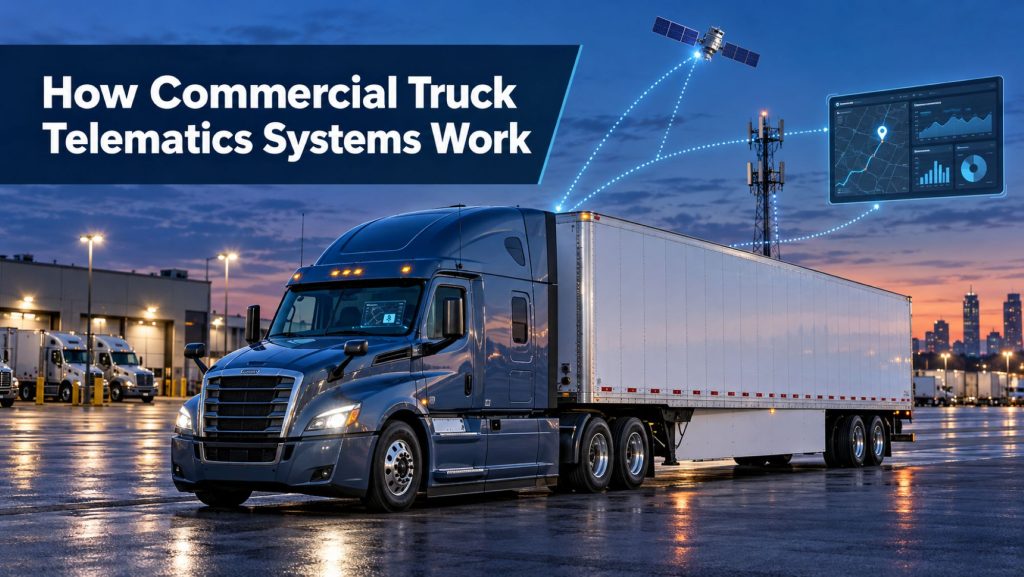
Electronic logging devices help commercial motor carriers and drivers record hours-of-service information, manage records of duty status, and demonstrate compliance during roadside inspections and safety reviews.
An ELD does not create a driver’s available hours or decide whether every activity has been logged correctly. It records specific vehicle and driver information, displays the driver’s log, identifies certain data problems, and provides standardized methods for transferring records to authorized safety officials.
This guide explains how electronic logging devices work, how they support hours-of-service compliance, what drivers and motor carriers must manage, and how ELDs connect with broader commercial truck telematics systems.
What Is an Electronic Logging Device?
An electronic logging device is technology used to record a commercial driver’s record of duty status. A compliant ELD synchronizes with the commercial motor vehicle’s engine or otherwise obtains the required vehicle information allowed by the applicable technical requirements.
A typical ELD system includes:
- An onboard device connected to the truck
- Vehicle and engine data access
- A driver display or mobile application
- Driver and support-user accounts
- Location and time information
- Internal data storage
- Roadside display and data-transfer functions
- A motor-carrier portal for reviewing and retaining records
Many ELDs are part of larger platforms that also provide dispatch, messaging, navigation, maintenance, fuel reporting, safety analytics, GPS fleet tracking, or video telematics.
What an ELD Records
An ELD automatically records or associates required information with duty-status events and other system events.
Depending on the event and system, the record can include:
- Date and time
- Vehicle location
- Engine hours
- Vehicle miles
- Commercial motor vehicle identification
- Motor-carrier identification
- Driver or authenticated-user identification
- Duty status
- Annotations and edits
- Malfunction and data-diagnostic events
- Personal-conveyance or yard-move status where permitted and enabled
The ELD automatically captures certain information, but the driver remains responsible for logging activities accurately, reviewing the record, adding required information, and certifying the completed record.
Records of Duty Status
A record of duty status, commonly called a RODS or driver log, shows how a driver’s time is divided among the recognized duty-status categories.
The four basic statuses are:
- Off duty
- Sleeper berth
- Driving
- On duty, not driving
Correct status selection matters. Fueling, loading, unloading, inspections, paperwork, maintenance-related activity, and other work may need to be logged as on duty even when the truck is not moving.
How Driving Time Is Captured
The ELD monitors vehicle movement and automatically records driving time when the vehicle meets the system’s movement criteria. This limits the ability to omit or alter driving activity without leaving an electronic record.
If the vehicle moves without an authenticated driver assigned, the system records unidentified driving time. The motor carrier must review unidentified records and assign them to the correct driver when supported by the facts, or document why the time cannot be assigned.
Drivers should confirm that they are logged into the correct account before moving the vehicle and properly log out or change drivers when operations require it.
Property-Carrying Hours-of-Service Limits
For many interstate property-carrying commercial motor vehicle operations, the main federal hours-of-service limits include the following. Exceptions and special operating rules may apply, so the driver and carrier must confirm the requirements for the actual operation.
11-Hour Driving Limit
A driver may drive a maximum of 11 hours after 10 consecutive hours off duty.
14-Hour Driving Window
A driver may not drive beyond the 14th consecutive hour after coming on duty following 10 consecutive hours off duty. Off-duty periods during that window generally do not pause or extend the 14-hour period unless a specific provision applies.
30-Minute Driving Break
A property-carrying driver generally must take a 30-minute interruption from driving after driving for eight cumulative hours without a qualifying interruption. The requirement may be satisfied by 30 consecutive minutes of non-driving time, including qualifying on-duty-not-driving, off-duty, sleeper-berth time, or a consecutive combination.
60-Hour or 70-Hour Limit
A driver may not drive after accumulating 60 hours on duty in seven consecutive days or 70 hours on duty in eight consecutive days, depending on the motor carrier’s operation.
34-Hour Restart
When used, a period of at least 34 consecutive hours off duty can restart the calculation of the 60-hour or 70-hour limit for qualifying property-carrying operations.
These are simplified summaries. Passenger-carrying operations, oilfield work, adverse conditions, short-haul operations, agriculture, emergencies, and other situations can involve different provisions.
Hours-of-Service Clocks at a Glance
| Clock or limit | What it generally controls |
|---|---|
| 11-hour limit | Maximum driving time after 10 consecutive hours off duty |
| 14-hour window | Consecutive window in which driving may occur after coming on duty |
| 8-hour break calculation | Cumulative driving time before a qualifying 30-minute non-driving interruption is required |
| 60-hour or 70-hour limit | Total on-duty time across seven or eight consecutive days before additional driving is prohibited |
| 34-hour restart | Optional qualifying off-duty period that can restart the seven-day or eight-day calculation |
An ELD may display available time for these limits, but its calculation depends on accurate status records, correct carrier settings, and the rules selected for the driver’s operation.
Sleeper-Berth Provisions
Qualifying property-carrying drivers may use sleeper-berth provisions to divide required off-duty time into qualifying periods. The details determine how the periods affect the driving and duty window.
Drivers using a split should understand:
- The minimum length required for each qualifying period
- Which period must be spent in the sleeper berth
- How the paired periods affect the 14-hour window
- How the ELD pairs qualifying periods
- Whether a later change will create a violation
A driver should not rely only on a suggested pairing or a projected-hours display without understanding the governing rule and confirming that both qualifying periods are completed.
Adverse Driving Conditions
The adverse-driving-conditions provision can extend certain driving and on-duty limits when qualifying conditions that could not reasonably have been known are encountered.
Ordinary traffic, predictable congestion, routine weather, dispatch delays, and poor trip planning do not automatically qualify. Drivers and carriers should review the current rule, document the event appropriately, and avoid treating the provision as a general extension.
Short-Haul Operations
Some drivers operating under a qualifying short-haul exception may use time records instead of maintaining a standard RODS and may not be required to use an ELD for those operations.
Eligibility depends on meeting every applicable condition, including operating limits, reporting location, release from duty, and carrier time-record requirements. A driver who does not satisfy the exception may need a standard record of duty status.
Who Generally Must Use an ELD?
The federal ELD rule generally applies to drivers who are required to prepare records of duty status under the hours-of-service regulations, unless a specific exception applies.
Coverage should be evaluated using the driver, vehicle, operation, location, and applicable federal or state requirements. A vehicle being large enough to require a commercial driver’s license does not, by itself, answer every ELD applicability question.
Common Federal ELD Exceptions
Examples of drivers or operations that may qualify for an exception from the federal ELD requirement include:
- Drivers who use paper records of duty status no more than eight days during any 30-day period
- Qualifying short-haul drivers who use time records instead of RODS
- Drivers conducting qualifying driveaway-towaway operations when the vehicle being driven is the commodity being delivered
- Drivers operating vehicles with engines manufactured before model year 2000
- Other drivers operating under a specific hours-of-service or ELD exception
An exception from using an ELD does not necessarily create an exception from every hours-of-service requirement. The carrier and driver should retain any documents needed to support the applicable exception.
ELD Registration and Device Selection
ELD providers self-certify that their devices meet the federal technical requirements and register the devices with the Federal Motor Carrier Safety Administration.
Motor carriers should confirm that the exact ELD name, model, and identifier appear on the current FMCSA registered-device list. They should also monitor FMCSA notices because a device can later be removed from the registered list.
Registration is only one selection factor. Compatibility, support, data transfer, installation, contract terms, training, reporting, and integration with the fleet’s broader telematics platform also matter. See How to Choose a Commercial Truck ELD and Telematics System.
Driver Accounts and Authentication
Each driver should use the unique account assigned by the motor carrier. Shared driver accounts can create inaccurate records, unidentified driving, privacy problems, and difficulty determining who operated the vehicle.
Before driving, the driver should verify:
- The correct driver account is active
- The correct vehicle is selected
- The correct trailer numbers are entered when required
- Shipping-document information is complete when required
- Unidentified driving prompts have been reviewed
- The current duty status is accurate
- The device is connected and operating normally
Co-drivers should use separate accounts and follow the device procedure for identifying the active driver.
Edits and Annotations
An ELD must allow drivers to review, edit, and annotate records to address errors or omissions. A motor carrier may propose edits, but the driver must have the opportunity to review and accept or reject those changes.
The original information remains part of the ELD record. Editing a log does not erase the history of the original entry or the change.
Automatically recorded driving time generally cannot be changed to a non-driving status merely to create available hours. Limited reassignment or special-category procedures may apply when supported by the actual facts and the regulations.
Certifying Driver Logs
Drivers must review and certify their records as required. Certification confirms that the driver has reviewed the record and considers it true and correct.
Before certification, a driver should check:
- All duty-status changes
- Vehicle and trailer information
- Shipping-document information
- Unidentified driving events
- Personal-conveyance and yard-move entries
- Edits proposed by the carrier
- Annotations
- Malfunction or diagnostic indicators
Waiting until the end of a trip to review several days of records can make errors harder to identify and correct.
Personal Conveyance
Personal conveyance is off-duty use of a commercial motor vehicle for personal purposes under qualifying circumstances. A motor carrier may authorize it, but authorization does not make every personal trip acceptable.
The movement must meet the applicable guidance and must not be used to advance the load or motor carrier’s business improperly, avoid hours-of-service limits, or conceal on-duty driving.
Drivers should select the correct ELD category, enter a clear annotation, and follow the carrier’s policy. The facts of the movement—not simply the ELD button selected—determine whether the activity qualifies.
Yard Moves
The yard-move category can record qualifying vehicle movement as on-duty-not-driving time. The movement must occur under conditions that meet the applicable definition and carrier policy.
Using yard-move status on a public road or for movement that does not qualify can create an inaccurate record. Drivers should understand when the ELD automatically ends the yard-move status and verify the displayed duty status before continuing.
Unidentified Driving Records
When a commercial motor vehicle moves without a logged-in driver, the ELD creates an unidentified driving record. These events should be reviewed promptly.
Common causes include:
- A driver forgetting to log in
- A mechanic moving the vehicle
- A yard employee repositioning equipment
- An incorrect vehicle assignment
- A driver using the wrong account
- A device or communication problem
The carrier should assign supported records to the correct driver and annotate unassigned events with a factual explanation. Routine unidentified driving can indicate a training, account-management, installation, or compliance problem.
Roadside Inspections and Data Transfer
During a roadside inspection, a driver may be asked to display the current day’s record and the required previous days, show header and detail information, and transfer the ELD output file using the device’s supported method.
ELDs use approved telematic or local transfer methods. Depending on the registered device, these can involve web services and email or local transfer methods such as Bluetooth and USB.
The driver should know how to:
- Open the inspection mode
- Display the required records
- Show unidentified driving information
- Enter an output-file comment when requested
- Initiate the supported data-transfer method
- Provide an on-screen display or printout when applicable
- Explain a malfunction or use of paper logs
The device’s required instruction materials should remain available in the vehicle so the driver can follow the exact procedure.
Documents Required in the Vehicle
Federal guidance identifies ELD information that should be available to the driver, including:
- A user manual describing how to operate the ELD
- Instructions describing the supported data-transfer methods
- Instructions for producing and transferring records to a safety official
- Instructions covering malfunction reporting and recordkeeping
- A supply of blank graph-grid logs sufficient for the required malfunction procedure
The materials may be stored electronically when allowed and accessible. Drivers should verify that they can retrieve them without depending on unavailable credentials or a failed device.
ELD Malfunctions
An ELD malfunction can involve power, engine synchronization, timing, positioning, data recording, data transfer, or another required function.
When a malfunction prevents accurate recording or access, the driver generally must:
- Note the malfunction and provide written notice to the motor carrier within 24 hours.
- Reconstruct the record for the current 24-hour period and the previous seven consecutive days unless those records are already available or retrievable.
- Continue recording records of duty status using compliant paper graph-grid logs until the ELD is repaired, serviced, or replaced, unless an approved alternative applies.
The motor carrier generally has eight days from discovering the condition or receiving driver notice to correct the malfunction. A carrier may need to request an extension from the appropriate FMCSA division administrator when the problem cannot be corrected within the allowed period.
Data Diagnostics Versus Malfunctions
A data-diagnostic event indicates that the ELD detected missing, inconsistent, or potentially incorrect information. A malfunction indicates that the device has failed a required monitoring threshold or cannot perform a required function.
| Indicator | General meaning | Typical response |
|---|---|---|
| Data diagnostic | The system detected a data inconsistency, missing input, unidentified driving, or other condition requiring review | Review the event, correct account or data issues, add accurate information, and follow provider instructions |
| Malfunction | The ELD cannot reliably meet one or more required functions | Notify the carrier, follow the malfunction procedure, reconstruct records when required, and arrange repair or replacement |
Ignoring a diagnostic indicator can allow a correctable issue to continue. Drivers and support personnel should understand the device-specific symbols and instructions.
Motor-Carrier Responsibilities
The motor carrier’s responsibilities extend beyond purchasing hardware.
A carrier should:
- Use a currently registered and suitable ELD
- Install and configure devices correctly
- Create unique user accounts
- Train drivers and support personnel
- Monitor malfunctions and data diagnostics
- Review unidentified driving records
- Propose factual corrections when appropriate
- Retain ELD records and supporting documents as required
- Protect driver records from improper alteration
- Maintain backup access and malfunction procedures
- Monitor FMCSA registration and revocation notices
The carrier must not use the system to harass or coerce a driver into violating hours-of-service or safety requirements.
Driver Responsibilities
Drivers are responsible for maintaining accurate records and using the ELD correctly.
- Log into the correct account and vehicle
- Select the correct duty status
- Enter required trailer and shipping information
- Review unidentified driving prompts
- Add clear annotations when necessary
- Review carrier-proposed edits
- Certify completed records
- Understand the hours-of-service limits
- Know the roadside-transfer procedure
- Report malfunctions promptly
- Maintain paper logs when required
The ELD’s remaining-time display is a tool. It does not relieve the driver of responsibility for understanding the rule, recognizing incorrect records, or stopping operation when driving is not permitted.
Supporting Documents and Record Retention
Motor carriers must retain records of duty status and supporting documents for the required period and make them available as required. Supporting documents help verify on-duty time, travel, location, and other activity.
Examples can include:
- Fuel receipts
- Toll records
- Bills of lading
- Dispatch records
- Payroll records
- Electronic communications
- Gate and terminal records
- Inspection and maintenance records
Telematics, fuel-card, GPS, camera, and customer records may create additional evidence of vehicle and driver activity. Records should be reviewed consistently rather than only after an inspection or collision.
Common ELD Compliance Problems
| Problem | Why it matters |
|---|---|
| Driver forgets to log in | Creates unidentified driving and may leave the driver’s RODS incomplete |
| Incorrect duty status | Misstates on-duty, off-duty, sleeper, or driving time |
| Unreviewed carrier edits | Leaves proposed changes unresolved and records potentially inaccurate |
| Uncertified logs | Indicates the driver has not completed the required review and certification |
| Improper personal conveyance | Can conceal business-related movement or prohibited driving |
| Improper yard move | Can misclassify driving activity as on-duty-not-driving |
| Ignored diagnostics | Allows data, connection, or unidentified-driving problems to continue |
| Missing instruction materials | Can prevent the driver from completing an inspection or malfunction procedure |
| Failure to reconstruct logs | Leaves required records unavailable during an ELD malfunction |
| Use of a revoked ELD | May no longer satisfy the ELD requirement after the applicable transition period |
ELDs and Fleet Telematics
An ELD may share hardware and data with the fleet’s wider telematics system. Vehicle position, engine status, driver identity, messaging, dispatch, fuel, and safety information can appear in a common platform.
That integration can reduce duplicate data entry and help dispatchers understand driver availability. It also requires proper permissions, secure accounts, reliable vehicle assignments, and clear separation between compliance records and operational estimates.
Learn more about the full data path in How Commercial Truck Telematics Systems Work.
ELDs, GPS Tracking, and Video
GPS tracking can document vehicle locations and movements beyond the information displayed in a driver log. A connected camera can add video and event context. Trailer trackers can show the location and condition of unpowered equipment.
These systems can help investigate unidentified driving, customer delays, route activity, and safety events. They should be configured and used under clear retention, privacy, access, and review policies.
Continue with AI Dash Cameras and Video Telematics Explained and Commercial Trailer and Asset Tracking Systems Explained.
What an ELD Cannot Do
An ELD cannot:
- Determine whether every driver entry is truthful
- Know the purpose of every vehicle movement
- Decide whether every exception applies
- Replace driver and carrier training
- Prevent a driver from operating in violation
- Diagnose every hardware or communication problem
- Guarantee that a carrier’s policies comply with every jurisdiction
- Replace current regulations and official guidance
A compliant device can still produce an inaccurate log when it is installed incorrectly, configured incorrectly, assigned to the wrong driver, or used improperly.
Daily ELD Review Checklist
- Confirm the correct driver, truck, trailer, and shipment information.
- Check the current duty status before moving the vehicle.
- Review available driving, duty-window, break, and cycle time.
- Resolve unidentified driving prompts.
- Review malfunctions and data-diagnostic indicators.
- Add accurate annotations when needed.
- Review any edits proposed by the carrier.
- Confirm personal-conveyance and yard-move entries are justified.
- Verify the previous day’s record and certify it.
- Keep required instructions and blank logs accessible.
Related Telematics & ELD System Guides
- How Commercial Truck Telematics Systems Work
- Electronic Logging Devices and Hours-of-Service Compliance Explained
- How to Choose a Commercial Truck ELD and Telematics System
- GPS Fleet Tracking and Vehicle Telematics Explained
- AI Dash Cameras and Video Telematics Explained
- Commercial Trailer and Asset Tracking Systems Explained
Official Regulatory References
Hours-of-service and ELD requirements can change and can differ according to vehicle, cargo, operation, jurisdiction, and exception. Use current official guidance for the actual operation.
- FMCSA Summary of Hours-of-Service Regulations
- FMCSA Electronic Logging Device Website
- FMCSA Registered ELD List
- FMCSA ELD Frequently Asked Questions
- FMCSA ELD Malfunctions and Data-Diagnostic Events
- Electronic Code of Federal Regulations: 49 CFR Part 395
Final Thoughts
An electronic logging device is both a vehicle-connected recorder and a driver-compliance tool. It captures required vehicle information, records driving activity, organizes duty-status events, identifies certain data problems, and provides standardized records for inspections and carrier review.
The device works properly only when the correct driver is authenticated, the vehicle connection is reliable, duty statuses are accurate, unidentified driving is resolved, edits are reviewed, logs are certified, and malfunctions are handled promptly.
Drivers still need to understand the limits that apply to their operation. Motor carriers still need to train users, monitor records, maintain devices, protect data, and avoid coercion or harassment. The ELD documents activity, but responsible people must use that information correctly.
Truck Equipment Atlas will continue expanding its ELD, telematics, GPS tracking, video safety, trailer tracking, and connected commercial vehicle resources as the educational library grows.