
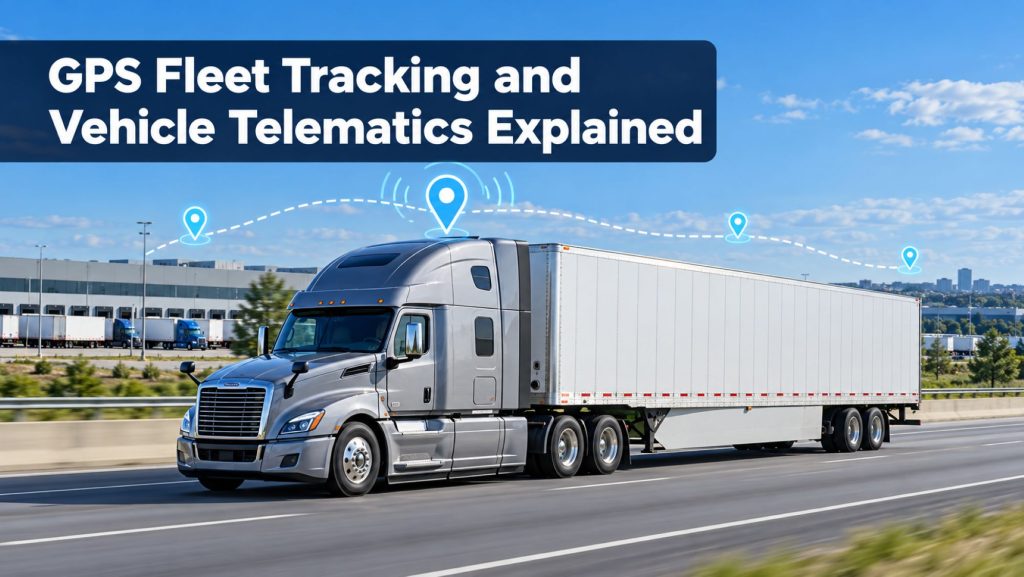
GPS fleet tracking gives commercial carriers a near-real-time view of where vehicles are, where they have been, and how they are being operated. When GPS data is combined with engine information, driver activity, maintenance records, safety events, and connected sensors, it becomes part of a broader vehicle telematics system.
These systems can improve dispatching, route planning, customer communication, fuel management, maintenance scheduling, security, and driver coaching. However, the value depends on accurate data, sensible alerts, dependable coverage, proper installation, and clear policies for how information is used.
This guide explains how commercial truck GPS fleet tracking and vehicle telematics work, what information they collect, how fleets use that information, and what to evaluate before selecting a system.
What Is GPS Fleet Tracking?
GPS fleet tracking uses signals from navigation satellites to estimate the position, direction, and speed of a vehicle or mobile asset. An onboard tracking device sends that location information to a fleet-management platform through a cellular or satellite connection.
Fleet personnel can then view current vehicle locations, trip history, stops, routes, geofences, and alerts from a web portal or mobile application. The frequency of those updates varies by device, service plan, vehicle status, and communications coverage.
What Is Vehicle Telematics?
Vehicle telematics combines telecommunications with information collected from a vehicle, driver interface, connected camera, trailer, or other sensor. GPS location is often one part of the system, but telematics can include much more.
- Vehicle location, speed, heading, and route history
- Engine hours, mileage, and diagnostic fault information
- Fuel use, idling, and power-take-off activity
- Hard braking, rapid acceleration, and cornering events
- Driver identification and hours-of-service information
- Inspection, maintenance, and repair records
- Dash-camera events and requested video
- Trailer location, cargo condition, temperature, and door status
For a broader view of connected fleet technology, see How Commercial Truck Telematics Systems Work.
How a GPS Telematics System Works
1. The Device Determines Vehicle Position
A receiver in the truck uses signals from multiple navigation satellites to calculate its location. Buildings, tunnels, terrain, weather conditions, antenna placement, and interference can affect reception and accuracy.
2. The System Collects Vehicle Data
A telematics gateway may connect to the truck’s diagnostic system and collect supported information such as vehicle speed, odometer readings, engine hours, fuel use, battery voltage, diagnostic trouble codes, and engine operating status. The available data depends on the truck, engine, electronic architecture, device, and installation.
3. Data Is Transmitted
The device normally sends information through a cellular network. Some systems offer satellite communication for fleets operating beyond dependable cellular coverage. When a connection is unavailable, the device may store information and upload it after communication is restored.
4. The Platform Organizes the Information
Cloud-based software turns incoming data into maps, alerts, dashboards, reports, maintenance records, and application programming interface connections. Permissions determine which employees, customers, drivers, and outside systems can access specific information.
GPS Tracking, ELDs, and Telematics Are Not the Same
| System | Primary purpose | Typical information |
|---|---|---|
| GPS tracker | Locate a vehicle or asset | Position, speed, heading, stops, and trip history |
| ELD | Record driving time and support hours-of-service compliance | Duty status, driving time, location records, engine hours, and vehicle miles |
| Telematics platform | Support fleet operations through connected data | Location, diagnostics, safety, fuel, maintenance, video, and other sensor data |
A GPS tracking product is not automatically a compliant electronic logging device. FMCSA explains that GPS data cannot replace the engine-synchronized information required from an ELD. Fleets subject to the ELD rule should verify the exact device on the current FMCSA registered-device list.
Learn more in Electronic Logging Devices and Hours-of-Service Compliance Explained.
Common GPS Fleet Tracking Features
Live Vehicle Location
A fleet map shows the most recently reported location of each connected vehicle. The position may be described as live, but it normally reflects an update interval rather than continuous movement. Fleets should compare update frequency and understand what happens when a truck loses communication.
Trip and Route History
Trip history can show routes, stops, arrival and departure times, mileage, and travel duration. This can help investigate service questions, detention, unauthorized use, and route performance.
Geofences
A geofence is a virtual boundary placed around a terminal, customer, jobsite, yard, fuel stop, or other location. The platform can record or report when a vehicle enters or leaves that boundary.
Arrival Notifications and Estimated Arrival Times
Location and route data can support arrival notifications and estimated arrival times. Results depend on map data, traffic information, route restrictions, update frequency, stops, and whether the platform understands commercial vehicle limitations.
Unauthorized Movement and Theft Alerts
Alerts can identify movement during restricted hours, ignition activity, towing, or departure from an approved area. A tracking system can support recovery efforts, but it does not replace locks, immobilization devices, secure parking, controlled key access, or law-enforcement reporting.
How Fleets Use Telematics Data
Dispatch and Customer Service
Dispatchers can identify the closest suitable truck, monitor progress, confirm arrivals, and respond to delays with better information. Customer portals or automated notifications can provide shipment visibility without exposing unrelated fleet data.
Fuel and Idle Management
Telematics reports can compare idling, fuel consumption, route mileage, speed, and engine operation. Meaningful comparisons should account for payload, terrain, traffic, weather, power-take-off use, vehicle specification, and operating assignment.
Maintenance and Diagnostics
Odometer and engine-hour data can trigger preventive-maintenance reminders. Diagnostic alerts can help maintenance personnel prioritize inspections and prepare for a returning truck. A fault code identifies a condition detected by the system; it does not always prove that a specific component has failed.
Safety and Driver Coaching
Systems may report speeding, hard braking, rapid acceleration, cornering, following distance, seat-belt status, or camera-detected events. Fleets should validate alerts, consider the operating context, and use consistent review and coaching procedures.
Camera-equipped systems are covered in AI Dash Cameras and Video Telematics Explained.
Location Accuracy and Update Frequency
Location accuracy and reporting frequency are different measurements. A device may calculate an accurate position but transmit it only every few minutes. Another system may update frequently but show an older position when coverage is interrupted.
FMCSA states that ELD location accuracy during on-duty driving is approximately within a one-mile radius, while personal-conveyance location is reduced to approximately a ten-mile radius. A fleet-tracking service may offer more precise operational mapping, but its specifications should be evaluated separately from ELD compliance requirements.
When comparing systems, ask about:
- Position update intervals while moving, stopped, or powered off
- Map refresh frequency and data-processing delays
- Storage and later upload during communication gaps
- Accuracy in terminals, cities, mountains, and remote areas
- International and cross-border coverage
- Satellite communication options
- Historical-data retention
Active and Passive Tracking Devices
An active tracking device transmits location and other information through a communications network. A passive device records information for later retrieval. Most modern fleet telematics systems use active tracking, although they may temporarily store data when no network is available.
Battery-powered and solar-assisted trackers are often used on trailers and mobile equipment that cannot depend on tractor power. Learn more in Commercial Trailer and Asset Tracking Systems Explained.
Installation and Power Sources
| Installation type | Common use | Points to evaluate |
|---|---|---|
| Diagnostic-port connection | Fast vehicle installation with engine-data access | Connector compatibility, secure mounting, tamper exposure, and data availability |
| Hardwired gateway | Permanent fleet installation | Professional installation, power protection, antenna placement, and service access |
| Original-equipment embedded telematics | Factory-connected trucks | Mixed-fleet consistency, subscriptions, data ownership, and integrations |
| Battery or solar tracker | Trailers and unpowered assets | Reporting interval, battery life, charging conditions, and mounting location |
Installation should follow the vehicle and equipment manufacturers’ instructions. Wiring must be protected from abrasion, heat, moisture, sharp edges, and moving components. Antennas and devices should not obstruct the driver’s view or interfere with safe vehicle operation.
Data Integration and Fleet Software
Telematics becomes more useful when accurate information can move into transportation-management, dispatch, maintenance, fuel, payroll, safety, and customer systems without repeated manual entry.
- Confirm which integrations are included and which require additional fees.
- Ask whether data moves in one direction or both directions.
- Review application programming interface limits and support.
- Determine how drivers, vehicles, trailers, and loads are matched across systems.
- Test data exports before signing a long-term agreement.
- Confirm how the fleet can retrieve historical data when service ends.
Privacy, Security, and Data Ownership
Commercial telematics can reveal vehicle locations, customer activity, driver behavior, routes, operating schedules, and business patterns. Fleets should treat this as sensitive operational information.
- Use individual accounts and role-based permissions.
- Require strong authentication and enable multifactor authentication when available.
- Remove access promptly when an employee or contractor leaves.
- Review vendor security practices, incident notification, backups, and software-update procedures.
- Define retention periods for location, driver, diagnostic, and video data.
- Document who owns the information and how it can be exported.
- Tell drivers what information is collected and how it will be used.
Privacy, labor, recording, and monitoring requirements may vary by jurisdiction and operation. Fleets should obtain qualified guidance when establishing policies.
Limitations of GPS and Telematics
- A map position can be delayed, incomplete, or inaccurate.
- Cellular dead zones can interrupt data transmission.
- A diagnostic alert does not replace hands-on troubleshooting.
- A harsh-event alert does not explain every surrounding condition.
- Estimated arrival times can change because of traffic, weather, parking, loading, or route restrictions.
- Improper installation can create power, network, or vehicle-data problems.
- Too many poorly configured alerts can cause important events to be ignored.
Telematics should support informed decisions rather than replace dispatch judgment, driver communication, inspections, diagnosis, or established safety procedures.
How to Evaluate a GPS Fleet Tracking System
- Define the operating problem. Identify whether the fleet needs dispatch visibility, theft alerts, fuel reporting, maintenance data, compliance, video, trailer tracking, or a combination.
- Confirm vehicle compatibility. Test every major truck, engine, model-year, and connector group.
- Drive actual routes. Evaluate coverage at terminals, customer sites, rural areas, mountains, yards, and border crossings.
- Verify update behavior. Check moving, stopped, key-off, and communication-loss conditions.
- Test the reports. Make sure managers and drivers can understand and act on the information.
- Review integrations. Confirm that data can move to and from existing fleet systems.
- Calculate total cost. Include hardware, installation, subscriptions, cellular service, accessories, integrations, training, replacements, and contract termination.
- Run a pilot. Use several representative trucks and drivers before committing the entire fleet.
For a complete selection process, read How to Choose a Commercial Truck ELD and Telematics System.
Related Telematics & ELD System Guides
- How Commercial Truck Telematics Systems Work
- Electronic Logging Devices and Hours-of-Service Compliance Explained
- How to Choose a Commercial Truck ELD and Telematics System
- AI Dash Cameras and Video Telematics Explained
- Commercial Trailer and Asset Tracking Systems Explained
Official and Technical References
- Federal Motor Carrier Safety Administration: ELD Functions
- Federal Motor Carrier Safety Administration: ELD Frequently Asked Questions
- Federal Motor Carrier Safety Administration: Registered ELD List
- Federal Motor Carrier Safety Administration: Revoked ELD List
- National Institute of Standards and Technology: Economic Benefits of the Global Positioning System
Final Thoughts
GPS fleet tracking answers the basic question of where a vehicle or asset is. Vehicle telematics adds operational context by connecting location with engine, driver, safety, maintenance, fuel, video, and cargo information.
The most effective system is not necessarily the one with the largest feature list. It is the one that provides dependable information, works across the fleet, fits daily workflows, protects sensitive data, and helps people take useful action without creating unnecessary alerts or administrative work.