
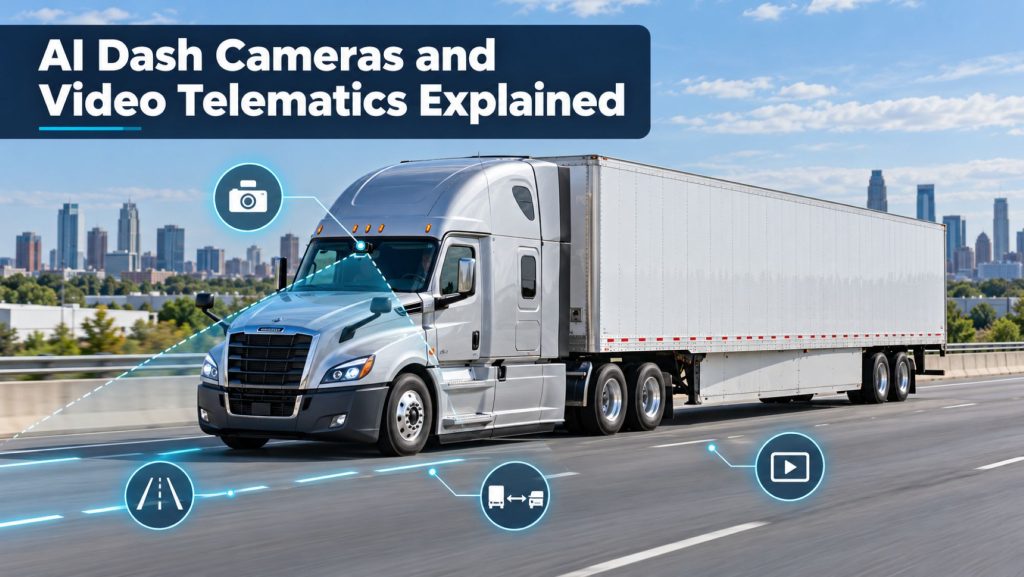
AI dash cameras combine onboard video with vehicle data and automated event detection. They can help commercial fleets understand crashes, identify risky driving patterns, coach drivers, respond to claims, and review events that would otherwise be difficult to reconstruct.
The term artificial intelligence can make these systems sound more independent and accurate than they are. In practice, video telematics uses computer-vision models and other software to classify selected behaviors or roadway events. Those classifications still require proper configuration, reliable supporting data, and human review.
This guide explains how commercial truck AI dash cameras and video telematics work, the differences between camera configurations, how event recording and alerts operate, and what fleets should consider before installation.
What Is Video Telematics?
Video telematics combines one or more vehicle-mounted cameras with location, speed, braking, acceleration, engine, driver, and time information. The platform connects recorded footage with the conditions surrounding an event.
A basic dash camera may store video on a memory card. A connected video-telematics system can automatically preserve selected events, upload clips, notify fleet personnel, support remote requests, and organize footage inside a fleet-management portal.
For an overview of the connected systems behind these functions, read How Commercial Truck Telematics Systems Work.
How AI Dash Cameras Work
1. Cameras Capture the Driving Environment
Road-facing cameras record traffic, lane position, signals, road conditions, and objects ahead of the truck. Driver-facing cameras may record the driver’s seating position, attention, hand activity, seat-belt use, or other visible behavior. Side and rear cameras can add context around the tractor and trailer.
2. Sensors Identify a Possible Event
The system may receive data from accelerometers, GPS, the vehicle network, safety systems, and camera-based analysis. Hard braking, rapid acceleration, a collision, unusual lateral movement, speeding, close following, or a manually pressed button can trigger an event.
3. Software Analyzes the Video
Computer-vision software may attempt to identify lane departures, close following, mobile-device use, obstructed cameras, seat-belt use, possible distraction, smoking, eating, yawning, or closed eyes. Available detections vary significantly among systems.
4. The System Saves and Uploads a Clip
The camera normally maintains a rolling recording buffer. When an event occurs, the system preserves video from before, during, and after the trigger. Connected systems can upload that clip through a cellular network when coverage and bandwidth are available.
5. People Review and Act on the Event
A reviewer determines whether the alert is valid, evaluates the surrounding conditions, and decides whether the event requires coaching, recognition, maintenance review, claim handling, or no action.
Common Commercial Truck Camera Configurations
| Camera view | What it records | Common uses |
|---|---|---|
| Road-facing | Traffic, roadway, signals, lanes, and objects ahead | Crash context, claim review, following distance, and roadway events |
| Driver-facing | Driver area and visible driver behavior | Distraction, fatigue indicators, seat-belt review, and coaching context |
| Side-facing | Areas beside the tractor or trailer | Lane-change events, sideswipes, turns, and blind-area context |
| Rear-facing | Traffic or activity behind the vehicle | Backing, rear approaches, cargo-area monitoring, and incident context |
| Cargo-facing | Interior cargo or passenger area | Cargo condition, loading events, security, and passenger safety |
The correct configuration depends on the operation. A long-haul tractor-trailer, delivery vehicle, school bus, refuse truck, tow truck, and construction fleet face different visibility, privacy, and risk-management needs.
Event-Based Versus Continuous Recording
Event-Based Recording
Event-based systems preserve and upload clips associated with a trigger. This reduces cellular use and makes the review queue more manageable, but an important event may be missed if the trigger is not detected or configured correctly.
Continuous Recording
Continuous systems record whenever the camera is operating and retain footage locally, remotely, or through a combination of both. Retention length depends on storage capacity, resolution, number of cameras, service plan, and recording settings.
Requested Video
Some platforms allow an authorized user to request footage from a specific time and location even when no automatic event was created. The request must occur before local footage is overwritten, and the vehicle may need a communications connection to upload the file.
What AI Dash Cameras May Detect
- Possible mobile-device use
- Possible distraction or inattention
- Possible drowsiness indicators
- Following distance
- Lane departure
- Forward-collision risk
- Stop-sign or traffic-signal events
- Speeding
- Hard braking or sudden acceleration
- Seat-belt use
- Camera obstruction or tampering
Not every system provides every detection. A feature name does not establish its accuracy in every cab, lighting condition, roadway environment, or driver population. Fleets should test important detections in their own vehicles and review false positives and missed events.
AI Alerts Are Not Final Conclusions
An AI-generated label is an automated assessment, not a complete investigation. Sunglasses, hats, cab shadows, reflections, rough roads, construction zones, unusual seating positions, and objects near the driver can affect classification.
Reviewers should examine the available road-facing and driver-facing video, vehicle data, event timing, roadway conditions, and driver explanation before making a decision. Fleets should also provide a practical method for correcting wrongly classified events.
In-Cab Alerts and Driver Coaching
Some systems provide an audible or spoken alert when they detect a selected behavior. The goal is to give the driver an opportunity to correct the condition before it develops into a more serious event.
Too many alerts, delayed warnings, or inaccurate classifications can create frustration and alert fatigue. Fleets should begin with a limited set of high-value alerts, test sensitivity, collect driver feedback, and adjust thresholds.
NHTSA emphasizes that driver-assistance warnings do not remove the driver’s responsibility to remain engaged and operate the vehicle safely.
Using Video for Driver Coaching
Effective coaching uses verified events to discuss a specific behavior, explain the risk, identify a practical correction, and recognize improvement. Video can provide context that speed or braking data alone cannot show.
- Apply review standards consistently across drivers and terminals.
- Separate safety coaching from routine punishment whenever appropriate.
- Recognize defensive actions and positive driving, not only mistakes.
- Allow drivers to explain disputed or unusual events.
- Track repeat patterns instead of overreacting to a single unclear clip.
- Train supervisors to review events fairly and accurately.
FMCSA-supported guidance describes road-facing and driver-facing cameras as tools that can give carriers useful context for safety monitoring and driver improvement.
Crash Review and Claims Support
Video may show traffic signals, lane position, surrounding vehicles, weather, road conditions, driver actions, and the sequence leading to an incident. Time, speed, location, braking, and other telematics information can add context.
The NTSB has reported that onboard video systems can capture critical crash-related information. Preserving the original file, associated metadata, access history, and retention status is important when footage may become evidence.
A camera does not guarantee that every relevant detail will be visible. Lens direction, glare, darkness, vibration, obstruction, file damage, and missing camera views can limit what a recording establishes.
Driver Privacy and Trust
Driver-facing cameras can create strong privacy concerns, particularly when a sleeper cab also serves as the driver’s living space. A successful program requires clear limits and honest communication before activation.
- Explain which cameras are installed and what each camera can see.
- State whether recording is continuous or event-based.
- Explain when audio is recorded.
- Define when driver-facing recording is disabled or physically covered.
- Identify who can view, download, or share footage.
- Explain retention periods and deletion procedures.
- Describe how drivers can dispute incorrectly classified events.
- Prohibit unauthorized viewing or use of footage.
The FMCSA Women of Trucking Advisory Board has specifically noted that driver-facing cameras can affect privacy, retention, and driver acceptance. Fleets should consider these concerns when designing policies.
Audio Recording and Legal Requirements
Video and audio recording laws can vary by state, location, employee relationship, and type of communication. A truck may operate across several jurisdictions during one trip.
Fleets should obtain qualified legal guidance before enabling audio or establishing monitoring, consent, retention, access, discipline, or disclosure policies. This guide provides a technical overview and is not legal advice.
Data Security, Access, and Retention
Video can contain faces, conversations, customer locations, cargo, operating patterns, incidents, and other sensitive information. Access should be limited to people with a defined business need.
- Use individual accounts and role-based permissions.
- Enable multifactor authentication when available.
- Record who viewed, downloaded, edited, or shared a file.
- Remove access promptly when job responsibilities change.
- Use written retention and legal-hold procedures.
- Review vendor encryption, backups, breach response, and software updates.
- Confirm how the fleet can export footage and metadata.
- Define what happens to stored video when the contract ends.
Installation and Camera Placement
Camera placement affects visibility, detection quality, driver acceptance, and compliance with windshield and field-of-view requirements. The device should not obstruct the driver’s safe view of the road or interfere with vehicle controls and safety equipment.
- Follow the camera and vehicle manufacturers’ instructions.
- Confirm the lens has the intended field of view.
- Keep the windshield and lens clean.
- Protect wiring from heat, moisture, abrasion, and sharp edges.
- Secure the mount against vibration and movement.
- Verify cellular, GPS, and vehicle-data connections.
- Test daytime, nighttime, rain, glare, and sleeper-cab conditions.
Connecting Video With Other Telematics Data
Video becomes more useful when synchronized with reliable vehicle and fleet information. A platform may connect footage with GPS position, speed, route history, braking, engine status, driver identity, hours of service, or dispatch records.
Read GPS Fleet Tracking and Vehicle Telematics Explained for more information about location, route, geofence, and vehicle-data functions.
A video platform may also connect with an ELD, but camera functions do not make a device a compliant ELD. See Electronic Logging Devices and Hours-of-Service Compliance Explained.
How to Evaluate a Video Telematics System
- Define the purpose. Identify whether the fleet needs crash evidence, driver coaching, theft monitoring, cargo visibility, side coverage, or several functions.
- Choose the camera views. Determine which road, driver, side, rear, or cargo views are necessary.
- Test detection quality. Measure useful alerts, false positives, missed events, and review workload in representative trucks.
- Review video quality. Compare daylight, darkness, glare, rain, vibration, audio, resolution, frame rate, and license-plate visibility.
- Confirm retention. Understand local storage, cloud storage, overwrite time, requested-video windows, and legal holds.
- Evaluate cellular use. Learn how quickly clips upload and what happens during coverage gaps.
- Review privacy controls. Examine recording indicators, driver-facing controls, permissions, audit history, and policy options.
- Calculate total cost. Include cameras, installation, subscriptions, data plans, storage, replacement equipment, integrations, and contract terms.
- Run a pilot. Include different vehicles, routes, drivers, terminals, shifts, and operating conditions.
For the broader system-selection process, read How to Choose a Commercial Truck ELD and Telematics System.
Questions to Ask a Video Telematics Provider
- Which events are detected on the device and which are analyzed in the cloud?
- How are false events corrected, and does that feedback improve future results?
- How much video is stored locally and remotely?
- Can authorized users request video that did not create an event?
- What happens when cellular coverage is unavailable?
- Can the fleet disable audio or driver-facing recording?
- Who owns the footage and associated metadata?
- Can files be exported in their original format?
- What audit history accompanies a downloaded clip?
- How are security updates delivered?
- What integrations and application programming interfaces are available?
- What happens to footage when service is canceled?
Related Telematics & ELD System Guides
- How Commercial Truck Telematics Systems Work
- Electronic Logging Devices and Hours-of-Service Compliance Explained
- How to Choose a Commercial Truck ELD and Telematics System
- GPS Fleet Tracking and Vehicle Telematics Explained
- Commercial Trailer and Asset Tracking Systems Explained
Official and Technical References
- Federal Motor Carrier Safety Administration: Effective Use of Onboard Safety Monitoring Technologies
- Federal Motor Carrier Safety Administration: Tech-Celerate Now
- National Transportation Safety Board: Commercial Vehicle Onboard Video Systems
- National Highway Traffic Safety Administration: Driver Assistance Technologies
- National Institute of Standards and Technology: Privacy Framework
Final Thoughts
AI dash cameras and video telematics can give fleets valuable context around crashes, driving events, claims, and coaching opportunities. Their usefulness depends on more than camera resolution or the number of automated detections.
A strong program combines correct installation, carefully selected alerts, trained human review, secure data handling, transparent driver policies, and consistent coaching. AI should help reviewers find important events, but it should not replace fair judgment or a complete investigation.