
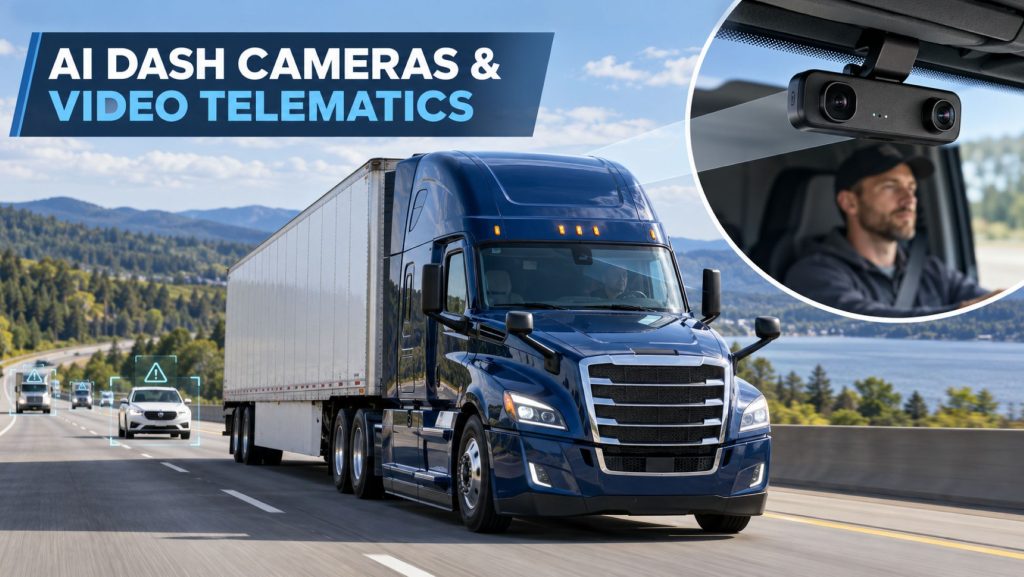
AI dash cameras and video-telematics systems combine commercial-vehicle camera footage with GPS location, vehicle movement, speed, braking, acceleration, driver information, and other connected data.
Road-facing cameras record the area ahead of the vehicle, while dual-facing systems can also capture or analyze activity inside the cab. Auxiliary cameras may provide additional views along the sides, rear, cargo area, or exterior of a truck or trailer.
Truck Equipment Atlas covers road-facing cameras, dual-facing cameras, multi-camera systems, event recorders, vehicle-gateway integration, artificial-intelligence functions, driver alerts, video retrieval, installation, calibration, privacy considerations, maintenance, and individual video-telematics products used throughout commercial transportation.
AI Dash Cameras on Truck Equipment Atlas
Explore the commercial AI dash cameras and video-telematics products being added to Truck Equipment Atlas:
Samsara
Motive
Additional road-facing cameras, dual-facing cameras, multi-camera systems, event recorders, exterior cameras, driver-monitoring systems, and video-safety platforms will be added as the Truck Equipment Atlas Telematics and ELD Systems Library continues to expand.
How Video Telematics Works
A video-telematics system records camera footage while collecting information from the vehicle gateway, GPS receiver, motion sensors, vehicle network, and connected fleet platform.
When the system identifies a supported event, it may preserve a video clip containing footage from before, during, and after the event. The clip can be transmitted to the fleet platform for review by authorized safety, claims, operations, or management personnel.
Depending on the system, users may also request video from a particular vehicle, date, time, or location. Available footage depends on camera storage, communications coverage, recording configuration, retention settings, and the time that has passed since the event.
Road-Facing and Dual-Facing Cameras
A road-facing dash camera records traffic, roadway conditions, signals, surrounding vehicles, pedestrians, and other activity visible through the windshield.
A dual-facing camera contains both road-facing and driver-facing lenses. The driver-facing lens can provide additional information about seat-belt use, distraction, drowsiness, mobile-device use, driver response, or activity inside the cab when those functions are supported and enabled.
The appropriate configuration depends on fleet policy, operating application, insurance requirements, driver agreements, privacy expectations, applicable laws, and the specific risks the fleet wants to address.
Major Video-Telematics Components
A commercial video-telematics installation may include:
- Road-facing camera
- Driver-facing camera
- Side- or rear-facing auxiliary cameras
- Camera processor
- Internal video storage
- Microphone where equipped and enabled
- Speaker for driver alerts
- Indicator lights
- Manual event button
- Vehicle gateway
- GPS receiver
- Accelerometer and gyroscope
- Cellular connection
- Mounting bracket and adhesive
- Power and communication cable
- Fleet video-management platform
AI Event Detection
Artificial-intelligence and machine-vision systems analyze supported camera footage and vehicle information to identify selected driving conditions or behaviors.
Depending on the product and configuration, supported detections may include:
- Following too closely
- Forward-collision risk
- Lane departure or lane-position events
- Mobile-device use
- Driver distraction
- Drowsiness or fatigue indicators
- Seat-belt nonuse
- Stop-sign events
- Speed-related events
- Harsh braking
- Rapid acceleration
- Harsh cornering
- Possible collisions
AI detection is a driver-assistance and fleet-review tool. It does not replace driver attention, safe operating practices, supervisor review, physical evidence, or a complete investigation.
In-Cab Alerts and Driver Coaching
Some AI camera systems can provide audible or visual alerts when they identify a supported condition. The alert is intended to help the driver recognize and correct a developing risk.
Fleet platforms may also organize recorded events into coaching workflows. Safety personnel can review footage, add notes, assign coaching, recognize safe performance, monitor recurring events, and document completed discussions.
Alert thresholds should be configured carefully. Excessive, poorly timed, or inaccurate alerts may distract drivers or reduce confidence in the system.
Event Recording and Continuous Recording
Event-recording systems preserve footage when a supported trigger occurs. The trigger may come from vehicle movement, motion sensors, camera analysis, driver input, or a connected vehicle gateway.
Some systems also maintain continuous footage in local camera storage. Authorized users may be able to request a section of that footage before it is overwritten.
Video availability depends on:
- Camera-storage capacity
- Video resolution
- Number of connected cameras
- Recording configuration
- Event-detection settings
- Cellular coverage
- Cloud-storage plan
- Data-retention policy
- Time since the requested event
Live Viewing and Video Retrieval
Supported camera systems may allow authorized fleet personnel to request recorded footage or view a live camera feed. These functions can help evaluate an active incident, locate a vehicle, verify conditions, support driver assistance, or review a reported event.
Live viewing may be limited by cellular coverage, available bandwidth, vehicle ignition status, fleet permissions, privacy settings, data plans, and system configuration.
Access to live or stored video should be restricted to authorized personnel and managed through documented fleet policies.
Collision Documentation and Driver Exoneration
Dash-camera footage can provide additional evidence following a collision, near miss, cargo incident, roadway dispute, or insurance claim.
Video may help document traffic conditions, vehicle positions, signal status, lane movement, weather, visibility, surrounding vehicles, pedestrian activity, and the sequence leading to an incident.
Footage may support a driver when the available evidence shows that another road user caused the incident. It may also identify preventable actions requiring additional training or corrective measures.
Video should be preserved according to company policy and applicable legal requirements. Editing, deleting, or failing to retain relevant footage after a serious incident can create significant legal and operational problems.
Multi-Camera and Exterior-Camera Systems
Multi-camera systems can expand visibility beyond the windshield and cab. Exterior cameras may be mounted along the sides, rear, cargo area, body equipment, or trailer.
Additional camera views may help document:
- Blind-spot areas
- Lane-change events
- Backing operations
- Loading and unloading
- Passenger or cargo areas
- Work-zone activity
- Body-equipment operation
- Trailer movement
- Vehicle security incidents
Camera placement should provide a useful view without creating excessive blind spots, interfering with vehicle equipment, or exposing the camera to avoidable damage.
Installation and Camera Positioning
Correct camera placement is necessary for useful footage and reliable AI analysis. A windshield-mounted camera normally requires a clear view through an area kept clean by the windshield wipers.
Installation considerations include:
- Manufacturer-approved mounting position
- Clear forward visibility
- Windshield-wiper coverage
- Windshield tinting and shaded areas
- Driver sight lines
- Mirror and visor movement
- Airbag deployment areas
- Camera angle and orientation
- Secure mounting
- Power and communication cable routing
- Vehicle-gateway compatibility
- Required setup and calibration
A camera mounted too high, too low, off-center, behind obstructed glass, or at the wrong angle may record incomplete footage or reduce the accuracy of supported AI functions.
Calibration and System Configuration
Some camera systems require setup information or calibration after installation. Configuration may include vehicle dimensions, camera height, windshield position, horizon alignment, driver-facing lens direction, event thresholds, alert settings, privacy controls, and connected gateway information.
Calibration should be checked after:
- Initial installation
- Camera replacement
- Windshield replacement
- Mounting-bracket movement
- Vehicle collision or severe impact
- Changes to camera position
- Repeated inaccurate event detection
Driver Privacy and Fleet Policies
Driver-facing cameras, microphones, live viewing, and continuous recording can create significant privacy concerns. Fleets should establish clear written policies before deploying video systems.
Policies should explain:
- Which cameras are installed
- When recording occurs
- Whether audio is recorded
- Whether live viewing is enabled
- Which events trigger video uploads
- Who may access footage
- How long footage is retained
- How footage is used for coaching or discipline
- How drivers can report concerns
- How privacy modes or lens covers are handled
Camera, audio, biometric, employment, and privacy requirements vary by jurisdiction. Fleets should confirm the rules that apply wherever their vehicles and drivers operate.
Video Storage, Retention, and Access
Video may be stored temporarily inside the camera, uploaded to cloud storage after selected events, or retained through a combination of local and remote storage.
Storage and retention decisions should consider:
- Camera-storage capacity
- Video quality and file size
- Number of connected cameras
- Cellular-data use
- Cloud-storage costs
- Fleet privacy policy
- Insurance requirements
- Claims and legal holds
- Administrator permissions
- Cybersecurity protections
Common Applications
- Long-haul highway fleets
- Regional and dedicated carriers
- Pickup-and-delivery fleets
- Private fleets
- Construction and vocational vehicles
- Refuse trucks
- Utility and service vehicles
- School and transit buses
- Emergency vehicles
- Passenger transportation fleets
- Last-mile delivery vehicles
- Municipal fleets
- Specialized commercial vehicles
Advantages of AI Dash Cameras
- Video documentation of roadway incidents
- Additional evidence for insurance claims
- Potential driver exoneration
- Automated event identification
- Real-time driver alerts
- Structured driver-coaching workflows
- Recognition of positive driver performance
- Improved visibility around commercial vehicles
- Faster incident investigation
- Integration with vehicle and GPS information
- Support for fleet safety programs
Limitations and Considerations
- Hardware and installation costs
- Monthly subscription fees
- Driver privacy concerns
- False or incomplete AI events
- Dependence on correct camera placement
- Cellular-data and coverage limitations
- Video-storage restrictions
- Windshield glare or obstruction
- Night and severe-weather visibility
- Lens contamination
- Data-security requirements
- Fleet-policy and training requirements
- Legal and regulatory differences between jurisdictions
A video clip may show only part of an event. Investigations should also consider vehicle information, driver statements, witness accounts, roadway evidence, inspection findings, police reports, and other available information.
Inspection and Maintenance
Camera hardware and supporting connections should be inspected periodically to maintain reliable operation and useful video quality.
Important inspection areas include:
- Camera mounting security
- Correct camera position and angle
- Clean road-facing and driver-facing lenses
- Windshield condition around the camera
- Power and communication cables
- Connector condition
- Status and recording indicator lights
- Vehicle-gateway communication
- Cellular connectivity
- Auxiliary-camera connections
- Firmware and software updates
- Correct vehicle and driver assignment
Selecting an AI Dash-Camera System
Camera selection should be based on the fleet’s vehicles, safety goals, operating environment, driver policies, storage requirements, and existing telematics platform.
Important selection factors include:
- Road-facing or dual-facing design
- Camera resolution
- Field of view
- Low-light and night performance
- AI detection capabilities
- In-cab alert options
- Event and continuous recording
- Video-retrieval capabilities
- Live-view availability
- Local and cloud storage
- Auxiliary-camera support
- Vehicle-gateway compatibility
- Fleet-dashboard integration
- Privacy controls
- Data retention and access
- Installation and technical support
- Hardware, subscription, and storage costs
Related Telematics and ELD Categories
- Electronic Logging Devices & HOS Compliance
- Fleet Telematics & Vehicle Gateways
- Trailer & Asset Tracking Systems
- Driver Communication & Workflow Systems
- Remote Diagnostics & Fleet Intelligence
Related Telematics and ELD Guides
- Telematics & ELD System Guides
- How Commercial Truck Telematics Systems Work
- Electronic Logging Devices and Hours-of-Service Compliance Explained
- How to Choose a Commercial Truck ELD and Telematics System
- GPS Fleet Tracking and Vehicle Telematics Explained
- AI Dash Cameras and Video Telematics Explained
- Commercial Trailer and Asset Tracking Systems Explained
Related Truck and Equipment Resources
- Telematics & ELD Systems
- Safety Systems
- Electrical Systems
- Commercial Trucks
- Commercial Trailers
- Equipment Systems
AI Dash-Camera and Video-Telematics Library Expansion
Truck Equipment Atlas will continue expanding its AI dash-camera and video-telematics coverage as additional manufacturers, camera configurations, event recorders, AI functions, storage systems, and fleet integrations are added.
Future coverage may include:
- Additional road-facing dash cameras
- Dual-facing AI cameras
- Multi-camera vehicle systems
- Side- and rear-view cameras
- Passenger and cargo-area cameras
- Driver-monitoring systems
- Continuous-recording platforms
- Video-based driver-coaching systems
- Fleet video-management platforms
- Commercial dash-camera comparisons
The goal is to build an organized commercial video-telematics reference that helps drivers, owner-operators, fleets, safety personnel, claims teams, technicians, students, and equipment buyers understand how connected camera systems work and where individual products fit within the trucking industry.
Explore the Complete Telematics and ELD Systems Library
Visit the Telematics & ELD Systems hub to explore electronic logging devices, vehicle gateways, fleet telematics, AI dash cameras, trailer and asset tracking, driver communication systems, remote diagnostics, individual product profiles, and educational guides.
Follow the Growth of Truck Equipment Atlas
Truck Equipment Atlas continues to expand with new truck profiles, trailer coverage, diesel engine pages, equipment-system resources, manufacturer information, and educational guides.
Visit our Site Updates page to explore recent additions, project milestones, and upcoming resources.