
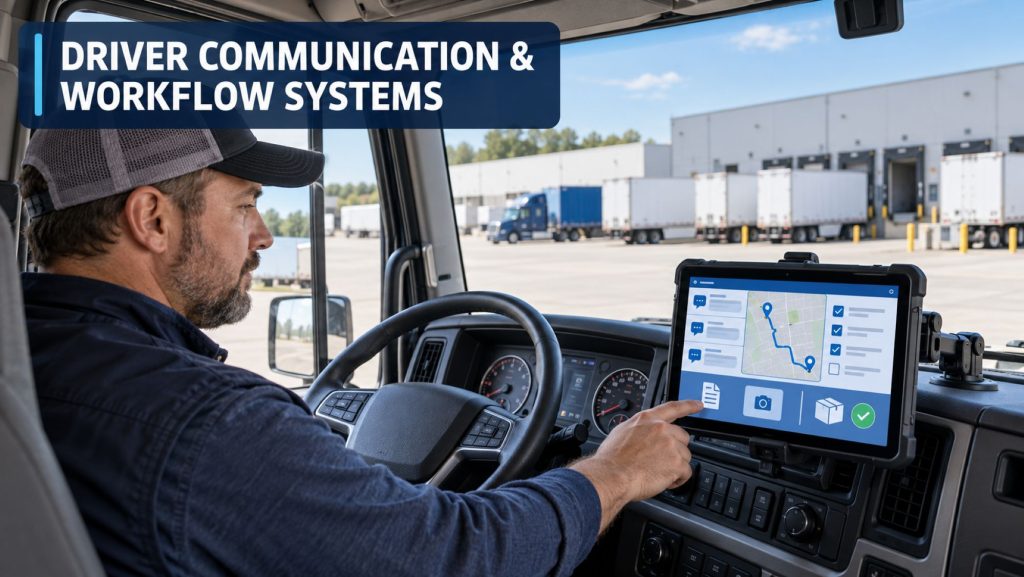
Driver communication and workflow systems connect commercial drivers with dispatchers, fleet managers, customers, maintenance departments, and other operational teams.
These systems combine in-cab displays, mobile applications, secure messaging, electronic forms, navigation, document capture, trip assignments, proof-of-delivery tools, and automated workflow steps. They help fleets replace disconnected phone calls and paper documents with organized digital processes.
Truck Equipment Atlas covers dedicated in-cab communication terminals, mobile driver applications, dispatch and workflow platforms, connected telematics displays, document-management tools, and related commercial-fleet technology.
Driver Communication and Workflow Products on Truck Equipment Atlas
Explore the driver communication and workflow products being added to the Truck Equipment Atlas library:
Omnitracs
ISAAC Instruments
EROAD
Zonar
Additional driver terminals, mobile applications, workflow platforms, dispatch-communication systems, document tools, navigation systems, and connected in-cab technologies will be added as the Truck Equipment Atlas Telematics and ELD Systems Library continues to expand.
How Driver Communication and Workflow Systems Work
A driver communication and workflow system receives trip, load, route, customer, and task information from the fleet’s back-office platform. That information is transmitted to an in-cab display, tablet, mobile application, or other approved driver interface.
The driver can review assignments, communicate with dispatch, complete required forms, capture documents, update trip status, follow navigation instructions, and confirm completed activities. Information entered by the driver is transmitted back to the fleet platform and may also be shared with transportation-management, payroll, maintenance, compliance, and customer-service systems.
Advanced workflows can automatically present the next required task based on the driver’s location, trip status, customer stop, equipment assignment, or completion of an earlier activity.
In-Cab Displays and Mobile Driver Applications
Driver communication systems may use a permanently installed display, removable tablet, supported mobile device, or combination of in-cab and mobile interfaces.
A dedicated in-cab terminal can provide a consistent interface connected directly to the vehicle and telematics gateway. Mobile applications can allow drivers to remain connected when they are away from the truck at a terminal, customer facility, inspection location, or rest area.
The selected hardware must be appropriate for the vehicle environment and should remain readable, secure, and accessible without obstructing the driver’s view or interfering with vehicle controls.
Major System Components
- In-cab display or tablet
- Vehicle telematics gateway
- Driver mobile application
- Cellular or wireless communication connection
- GPS receiver
- Secure messaging platform
- Electronic forms and workflow software
- Navigation software
- Document camera or scanner
- Barcode and signature-capture tools
- Electronic logging application
- Driver-vehicle inspection reporting tools
- Back-office fleet-management portal
- Transportation-management system integration
- Mounting hardware, wiring, and power connections
Driver and Dispatcher Messaging
Secure two-way messaging allows drivers and dispatchers to exchange operational information without relying entirely on personal text messages or repeated phone calls.
Messages may include load assignments, appointment changes, route instructions, customer information, maintenance directions, weather alerts, safety notices, and requests for assistance.
Systems may store conversations with the corresponding driver, vehicle, trip, or load. This can provide a more organized operational record than communication spread across phone calls, emails, and personal devices.
Dispatch, Load, and Trip Management
Workflow systems can deliver load assignments and trip details directly to the driver. The information may include pickup and delivery locations, appointment times, reference numbers, equipment requirements, route instructions, contact information, and customer-specific procedures.
The driver can accept the assignment and update its progress through predefined trip stages. Depending on the fleet’s configuration, these stages may include dispatched, en route, arrived, loading, departed, delayed, delivered, and available.
Status updates can help dispatchers monitor trip progress without repeatedly contacting the driver.
Automated Driver Workflows
An automated workflow presents tasks in a planned sequence so the driver knows what must be completed at each stage of a trip.
A workflow may guide the driver through:
- Reviewing and accepting a load assignment
- Completing a pre-trip inspection
- Confirming the assigned tractor and trailer
- Starting navigation to the pickup location
- Recording arrival and departure
- Entering shipment or seal information
- Capturing bills of lading and delivery documents
- Obtaining a customer signature
- Reporting delays, damage, or rejected freight
- Submitting proof of delivery
- Updating driver and equipment availability
Electronic Forms and Document Capture
Electronic forms can replace many paper documents traditionally carried inside the truck. Fleets may configure forms for inspections, fuel purchases, trip expenses, accident reports, maintenance requests, customer requirements, cargo exceptions, and other operating needs.
Document-capture tools allow drivers to photograph or scan bills of lading, receipts, scale tickets, permits, delivery documents, and other paperwork. Images can be transmitted to the back office without waiting for the driver to return to a terminal.
Image quality, required information, document classification, and record-retention procedures should be established before paper records are discarded.
Proof of Delivery and Customer Documentation
Proof-of-delivery tools can combine delivery status, date, time, GPS location, document images, photographs, notes, barcode information, and electronic signatures.
This information can help fleets complete billing sooner, respond to customer questions, document shortages or damage, and maintain a record of delivery activity.
The required proof depends on the customer, cargo, carrier procedures, transportation agreement, and applicable recordkeeping requirements.
Navigation and Route Information
Many driver workflow platforms include or connect with commercial-vehicle navigation. Truck-specific routing may consider vehicle dimensions, weight, road restrictions, hazardous-material rules, bridge clearances, and approved roads when properly configured.
Dispatch information can automatically populate the destination, reducing manual address entry. Location-based workflows may also use arrival and departure information to trigger the next task.
Drivers remain responsible for observing posted signs, restrictions, road conditions, vehicle clearances, and safe operating requirements. Navigation instructions should never override roadway conditions or legal restrictions.
ELD and Hours-of-Service Integration
Driver communication systems may integrate with an electronic logging device so drivers can review duty status, available driving time, required breaks, supporting records, and hours-of-service information from the same interface used for dispatch and workflow tasks.
Dispatchers may use available-hours information when assigning loads and planning trips. However, estimated availability does not remove the carrier’s or driver’s responsibility to comply with applicable hours-of-service regulations.
Drivers must review their records, make required annotations, certify logs, manage unidentified driving events, and follow the approved malfunction procedure for the installed ELD.
Transportation-Management System Integration
Integrating the driver platform with a transportation-management system allows information to move between dispatch operations and the vehicle without repeated manual entry.
Possible shared information includes:
- Driver and vehicle assignments
- Load and trip information
- Customer and stop details
- Arrival and departure events
- Driver-duty availability
- Equipment location
- Shipment status
- Proof-of-delivery documents
- Delay and exception reports
- Maintenance requests
Driver-Distraction Controls
Driver-facing technology must be configured to limit unnecessary interaction while the vehicle is moving.
Depending on the system, safety controls may restrict keyboard entry, electronic forms, detailed message viewing, application access, and other functions until the vehicle is stopped. Voice prompts, hands-free features, simplified displays, and message-reading functions may reduce the need for manual interaction.
Drivers and fleets must follow applicable distracted-driving laws, company policies, and the equipment manufacturer’s operating instructions.
Common Applications
- Long-haul trucking fleets
- Regional carriers
- Private fleets
- Pickup-and-delivery operations
- Food and beverage distribution
- Refrigerated transportation
- Less-than-truckload fleets
- Construction and vocational fleets
- Bulk and tank transportation
- Service and utility fleets
- Municipal fleets
- Passenger and specialty transportation
Advantages
- Improves communication between drivers and dispatchers
- Reduces dependence on paper forms
- Organizes trip and customer information
- Provides consistent task sequences
- Reduces repeated data entry
- Supports faster document delivery and billing
- Improves visibility into trip progress
- Can automatically record arrival and departure events
- Supports remote access when the driver is away from the truck
- Can connect with ELD, navigation, telematics, and fleet systems
Limitations and Considerations
- Requires dependable wireless connectivity
- Hardware and software subscriptions add operating costs
- Drivers and dispatchers require training
- Poorly designed workflows can add unnecessary steps
- Software integrations require configuration and testing
- Incorrect data can move between connected systems
- Hardware can be damaged by vibration, heat, cold, moisture, or impacts
- Device mounting must not obstruct the driver’s view
- Driver-distraction controls must be properly configured
- Cybersecurity, account access, and data privacy must be managed
Installation and Hardware Placement
The in-cab display should be mounted where the driver can view necessary information without blocking the windshield, mirrors, gauges, controls, or safe entry and exit.
Installation considerations include:
- Windshield and mirror visibility
- Driver reach and seating position
- Vehicle data-network connection
- Electrical power requirements
- Antenna and communication performance
- Cable routing and strain relief
- Mounting strength and vibration resistance
- Airbag deployment areas
- Heating and cooling vents
- Access for inspection and replacement
Inspection and Maintenance
Drivers and technicians should inspect the display, mounting bracket, wiring, connectors, power supply, antenna, camera or document-scanning function, and vehicle-data connection.
Software, maps, security settings, workflow forms, driver accounts, and system integrations should also be maintained. A device that powers on may still have outdated software, missing assignments, failed communication, or an incorrect driver and vehicle association.
Damaged mounts, loose wiring, intermittent power, frozen screens, repeated communication failures, or unexplained data loss should be reported and corrected.
Selecting a Driver Communication and Workflow System
The correct system depends on the fleet’s operating model, driver duties, vehicle types, existing software, compliance requirements, customer needs, connectivity, and support resources.
Important selection factors include:
- Dedicated display or mobile-device design
- Driver and dispatcher messaging
- Configurable workflows and forms
- Document and signature capture
- Navigation capability
- ELD and hours-of-service integration
- Driver-vehicle inspection reporting
- Transportation-management system compatibility
- Application programming interface support
- Driver-distraction controls
- Hardware durability and mounting requirements
- Training, warranty, and technical support
- Hardware, installation, and subscription costs
Related Telematics and ELD System Categories
- Electronic Logging Devices & HOS Compliance
- Fleet Telematics & Vehicle Gateways
- AI Dash Cameras & Video Telematics
- Trailer & Asset Tracking Systems
- Remote Diagnostics & Fleet Intelligence
Related Guides
- How Commercial Truck Telematics Systems Work
- Electronic Logging Devices and Hours-of-Service Compliance Explained
- How to Choose a Commercial Truck ELD and Telematics System
- GPS Fleet Tracking and Vehicle Telematics Explained
- AI Dash Cameras and Video Telematics Explained
- Commercial Trailer and Asset Tracking Systems Explained
Related Equipment Systems
Driver Communication and Workflow Library Expansion
Truck Equipment Atlas will continue expanding this section with profiles covering in-cab terminals, mobile driver applications, workflow platforms, dispatch-communication systems, document tools, proof-of-delivery systems, navigation products, and connected driver technologies.
Future pages will examine hardware construction, communication methods, workflow capabilities, software integration, mounting, driver interaction, maintenance, and real-world fleet applications.
Explore the Complete Telematics and ELD Systems Hub
Visit the Telematics & ELD Systems hub to explore electronic logging devices, fleet gateways, AI dash cameras, trailer tracking systems, driver communication platforms, remote diagnostics, fleet intelligence tools, individual product profiles, and educational guides.
Follow the Growth of Truck Equipment Atlas
Truck Equipment Atlas continues to expand with new truck profiles, trailer coverage, diesel engine pages, equipment-system resources, manufacturer information, and educational guides.
Visit our Site Updates page to explore recent additions, project milestones, and upcoming resources as we continue building one of the industry’s growing commercial trucking equipment reference libraries.
View the Latest Site Updates: Truck Equipment Atlas Site Updates